How to Optimize for Google AI Overviews in 2026: A Practical Playbook to Recover Lost Organic Clicks
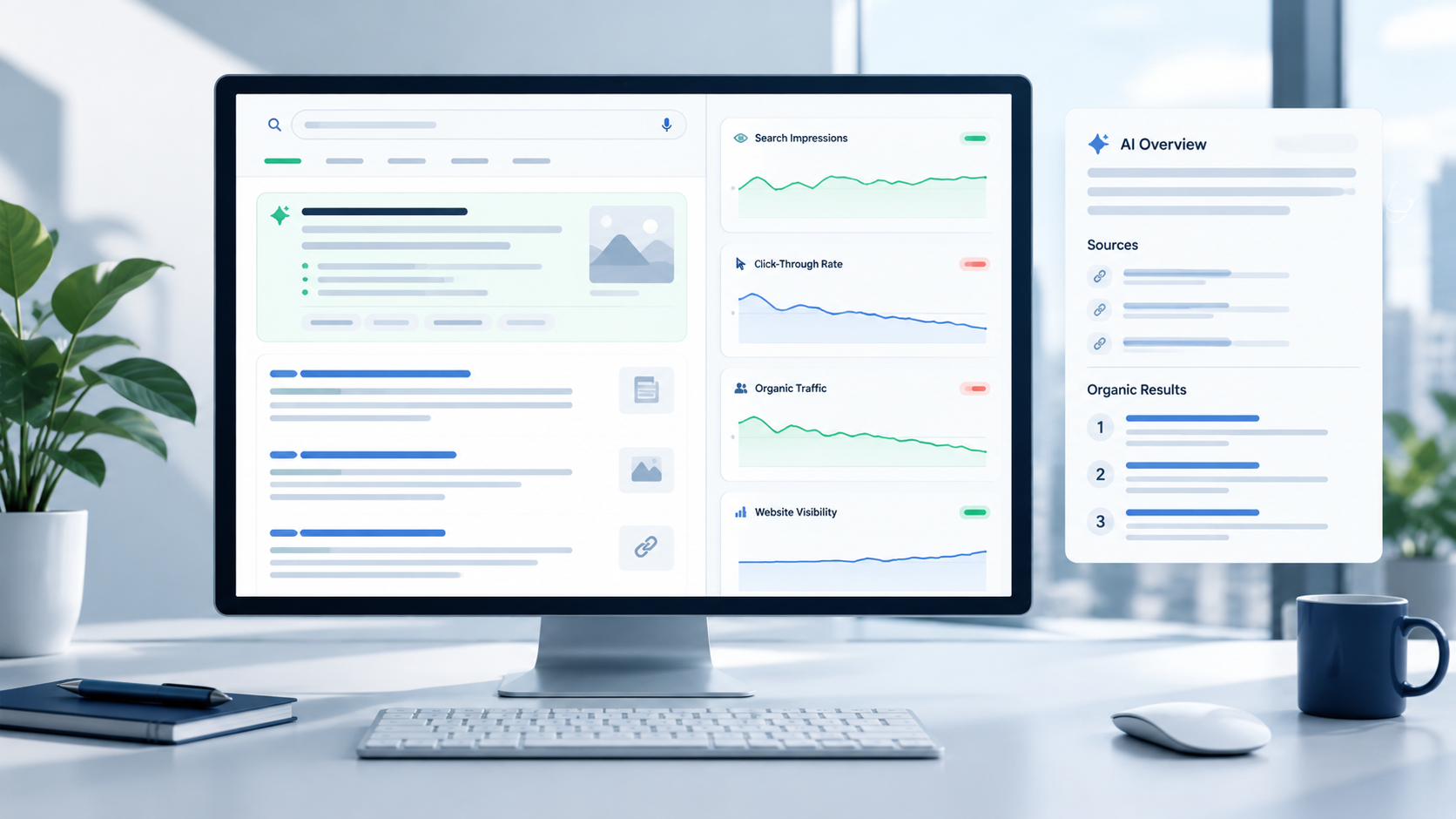
Your content is still ranking, and your impressions look healthy, but your clicks keep dropping. Google AI Overviews may be giving your audience the answers they need before they even reach your website. The answer isn't to publish more content—it's to make what you already have more useful, credible, and discoverable.
How to optimize for Google AI Overviews, gain visibility across AI search experiences, improve your chances of appearing in AI-generated answers, and win back lost organic clicks — that's what this practical playbook shows you in 2026.
What Are Google AI Overviews?
Google AI Overviews provide AI-generated summaries within certain search results. They synthesize information from multiple sources and link to supporting pages.
They are different from traditional organic results and should also be distinguished from:
- Featured snippets
- People Also Ask
- Traditional search listings
- Google AI Mode
- Standalone AI chatbot experiences
Google says AI Overviews and AI Mode can use multiple related searches to explore different aspects of a user’s question. This means the search experience can go beyond matching one exact keyword to one webpage.
Google now answers user questions in search results, reducing website visits. Visibility remains crucial, but now clicks, engagement, and conversions together define true performance.
Are AI Overviews Really Reducing Organic Clicks?
They can.
A user who previously clicked an organic result to find a definition, comparison, explanation, or quick answer may now get enough information directly from the search results.
This can create a pattern where:
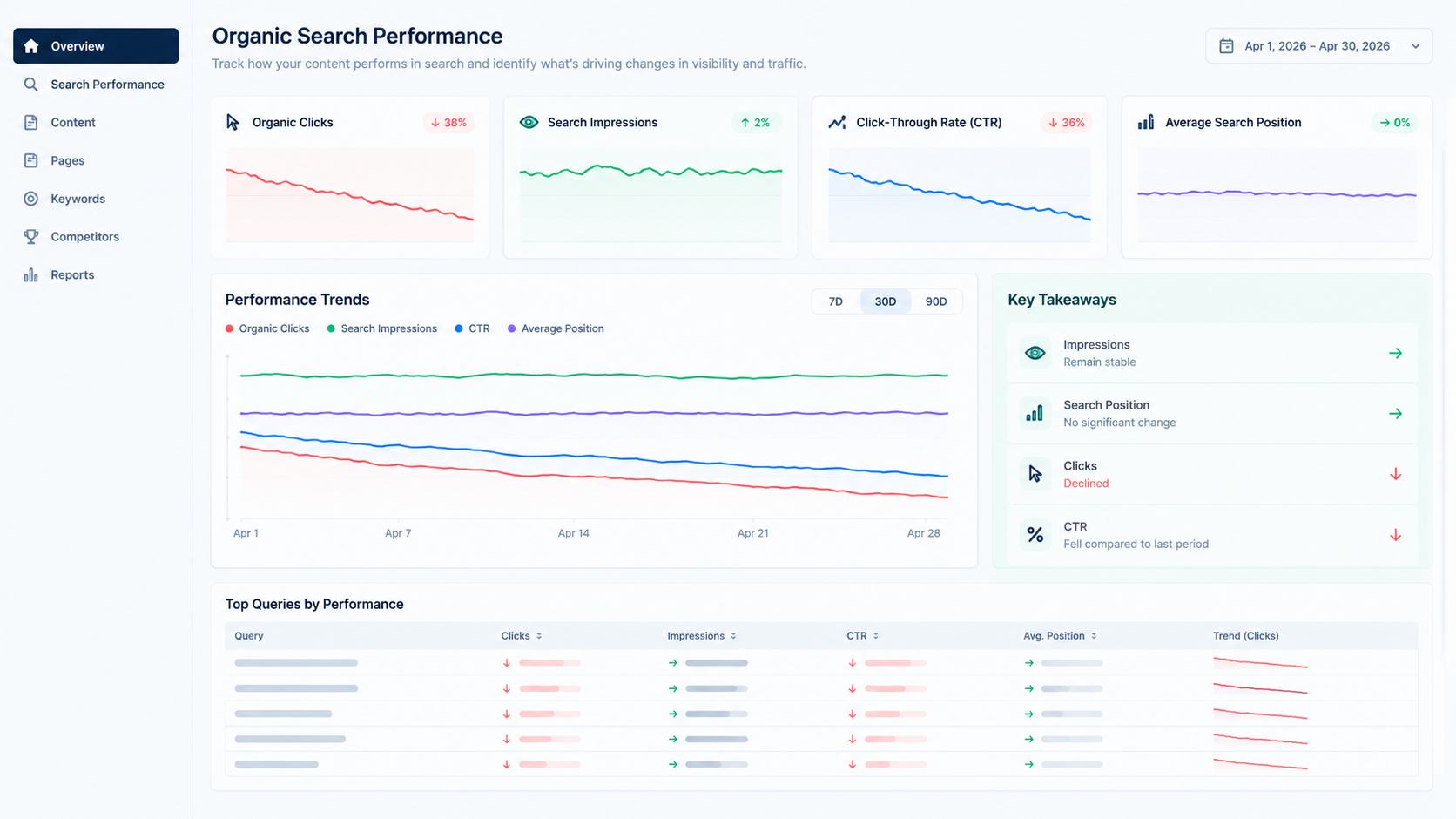
Impressions remain stable → rankings remain relatively stable → CTR falls → organic clicks decline.
Do not assume every drop in traffic is caused by AI Overviews.
Organic performance can also change because of:
- Google algorithm updates
- Seasonal demand
- Competitor improvements
- Search-volume changes
- Keyword cannibalization
- Indexing problems
- Site redesigns
- Title changes
- Lost SERP features
- Analytics or consent issues
- Changes in paid-search behavior
AI Overviews decrease CTR; one study found 38% fewer organic clicks, 33% more zero-click searches. Use your data to investigate; don't assume fixed percentages.
Google points out that clicks from pages shown with AI Overviews can be higher quality. This means you should track engagement, leads, conversions, and revenue—not just traffic volume.
First, Diagnose Why Organic Clicks Fell
Before you make major changes to your content, pinpoint precisely what shifted and the reason behind it.
Compare Clicks, Impressions, CTR, and Position
Use this framework:
Separate AI Overview Impact From Normal SEO Problems
Verify whether the decline lined up with:
- A Google algorithm update
- A website migration
- A CMS change
- New competitors
- Seasonal demand changes
- Cannibalization
- Indexing errors
- Title or meta-description changes
- Lost rich results
- Consent or analytics changes
This diagnostic step makes sure you don't spend time solving the wrong problem. Fix technical SEO or conversion problems only if they're truly the underlying cause.
How Google AI Overviews Select Supporting Sources
Google has no confirmed formula that guarantees inclusion in an AI Overview.
Google’s guidance says pages should meet the normal requirements for appearing in Search. They generally need to be indexed, eligible to appear in Search, technically accessible, compliant with Search policies, and useful and relevant to the query.
That distinction matters.
You'll see a lot of claims about “AI Overview ranking factors,” but Google's guidance doesn't describe a secret, AI-specific ranking system you can game.
Instead of asking "What trick gets me into AI Overviews?", focus on making your page the clearest, most useful, and most credible match for the search intent — and easy to find. That approach gives you more sustainable SEO results.
How to Optimize Content for AI Overview Citations
1. Answer the main question right away
Readers shouldn't have to read through 500 words of introduction just to get to the answer.
Start with a brief explanation, then give:
- Supporting evidence
- Examples
- Context
- Limitations
- Practical steps
Your introduction should get straight to the main question and give readers a strong reason to keep reading.
2. Structure Content Around Subquestions
Use descriptive H2s and H3s that answer users' real questions.
For example:
- What is the problem?
- Why does it happen?
- How much does it cost?
- What kinds of risks are involved?
- How do you implement it?
- What mistakes should you avoid?
This structure makes it easier for users and search engines to understand your content.
3. Make Important Information Easy to Extract
Use the following:
- Brief paragraphs
- Clear definitions
- Bullet points
- Comparison tables
- Numbered processes
- Descriptive headings
- Plain-language explanations
But do not turn the article into a collection of disconnected snippets.
Your page should still deliver a complete, valuable experience—not just a list of facts.
4. Add Information That You Actually Own
Search engines can increasingly generate generic summaries on their own.
Give users something more valuable through:
- First-party data
- Original research
- Expert commentary
- Client-tested processes
- Screenshots
- Case studies
- Proprietary frameworks
- Real examples
For example, instead of writing another generic article about conversion optimization, show how your team diagnosed a specific conversion problem, what changed, and what was measured.
Unique information gives users a better reason to visit the original source.
5. Build Topic Depth Without Creating Repetition
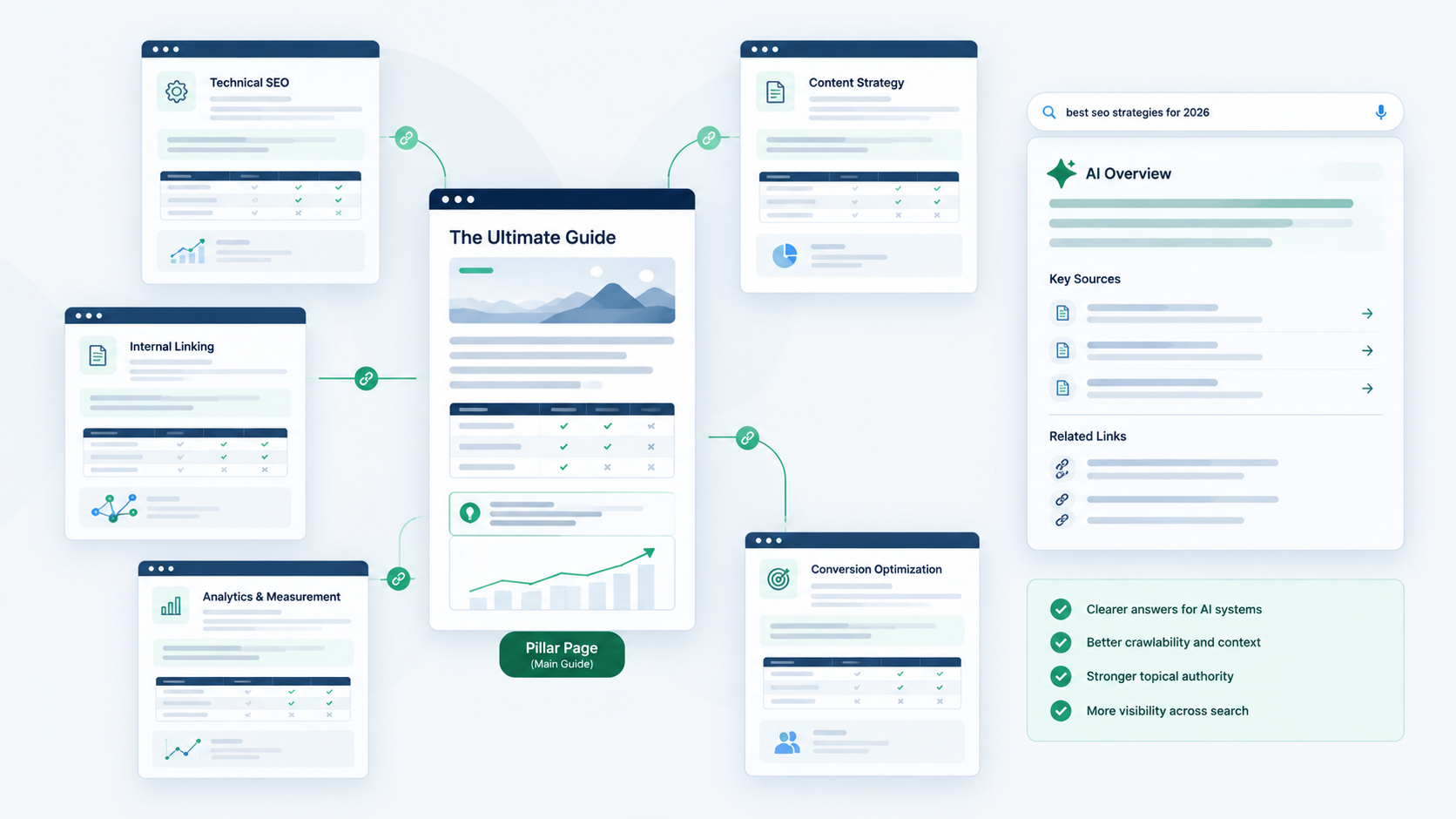
Create a connected topic cluster rather than dozens of near-identical articles targeting minor keyword variations.
This is an example of what a solid structure could look like:
Main SEO guide → Technical SEO → Internal linking → Content strategy → Analytics → CRO
Connect supporting pages to the main guide, and link informational content to the relevant commercial pages.
This approach builds context for users and search engines, without wasting resources on duplicate content.
Strengthen Trust and Entity Signals
AI search does not remove the need for credibility.
Make it clear who created the content and why that person or organization is qualified to discuss the subject.
Think about adding:
- Author bio
- Relevant experience
- Credentials where meaningful
- Editorial review process
- Publication and update dates
- Research methodology
- Examples from first parties
- Source of statistics
Your organization should also maintain consistent information across its website and relevant business profiles, such as:
- Brand name
- Services
- Contact details
- About page
- Locations
- Social profiles
When citing sources in research, prioritize primary sources. For every citation, include the date and methodology where applicable. Avoid making unsupported claims such as "This guarantees an AI citation."
Improve Technical Eligibility
If technical problems are affecting your site, even top-quality content won't rank.
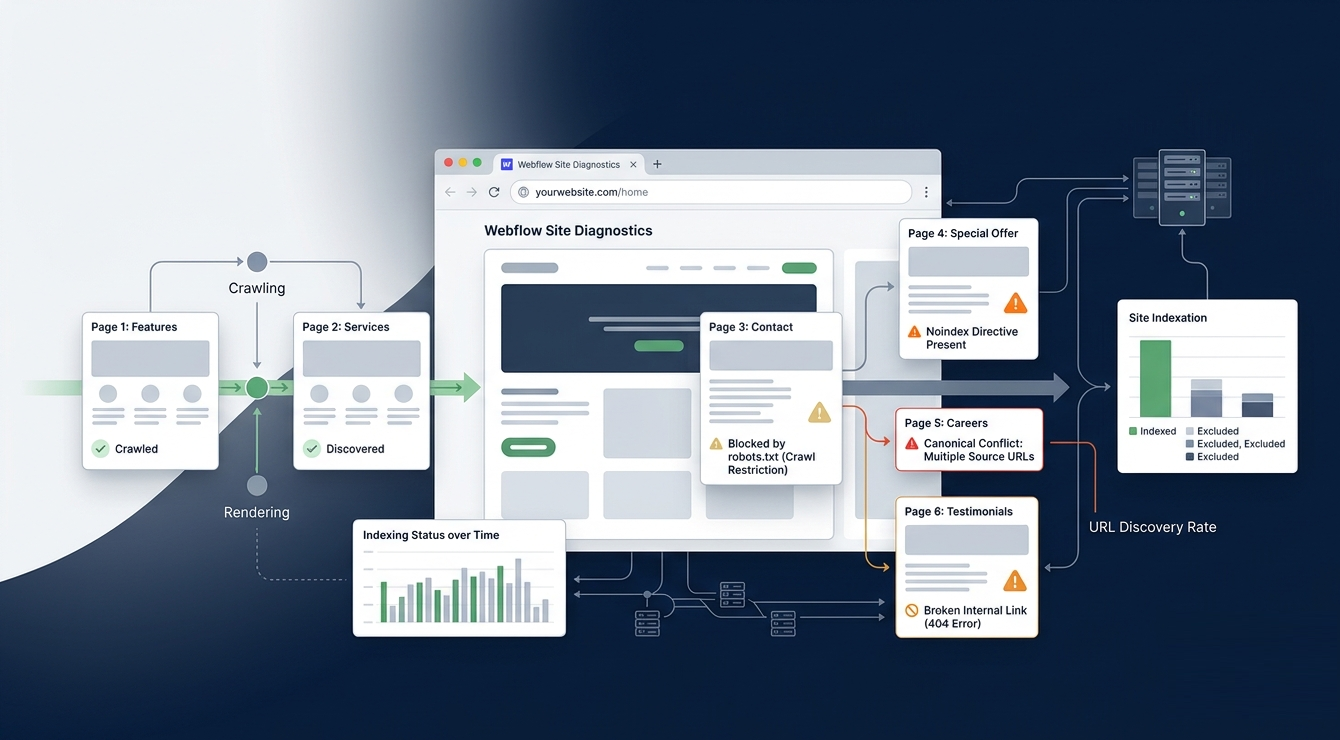
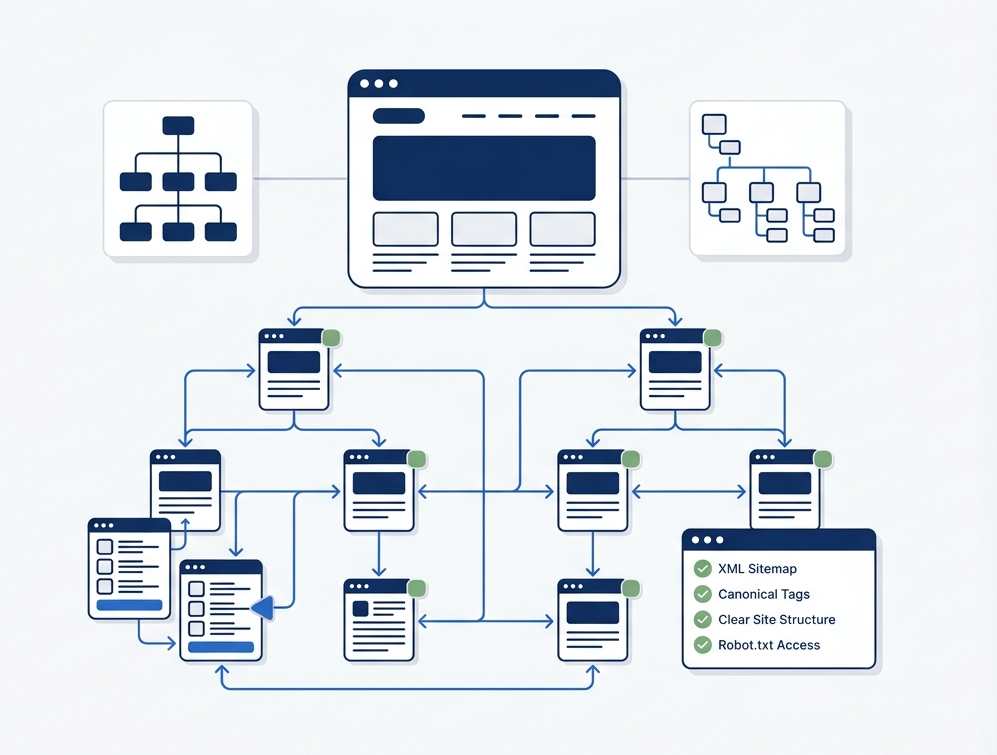
Google's guidance highlights the SEO practices that matter most, such as ensuring your site is crawlable and indexable, using internal links, providing a good page experience, keeping text accessible, and adding structured data that matches what people see on the page.
Check Indexing and Canonicalization
For important pages:
- Check indexing status in Search Console.
- Watch for accidental noindex directives.
- Verify canonical URLs.
- Fix broken pages and redirects.
- Remove any staging URLs you don't want from indexation.
- Monitor sitemap coverage.
Strengthen Internal Linking
Link strategically from authoritative pages to priority content.
Use descriptive anchor text and link related articles within topic clusters.
Also link informational pages to relevant commercial resources where the next step makes sense.
Make sure every valuable page is linked from other relevant pages. Do not leave important content orphaned.
Strategically link authoritative pages to priority content using descriptive anchor text. Connect related articles within topic clusters, and link informational pages to relevant commercial resources when appropriate. Interlink all valuable pages to avoid orphaned content.
Make Important Content Available as Text
Do not put critical information only inside:
- Images
- Videos
- Interactive widgets
- JavaScript-dependent components
Use HTML headings and paragraphs for important information.
For important videos, consider providing transcripts. Provide descriptive alt text for meaningful images, and ensure search systems can access critical content.
Apply Structured Data in the Right Way
Structured data helps search engines understand your content, but it doesn't guarantee that AI Overviews will display it.
No specific schema can guarantee that your page will appear in AI Overviews.
Your structured data should:
- Represent the visible page content accurately.
- Use an appropriate schema type.
- Be technically valid.
- Avoid misleading or unsupported information.
Page-dependent types include Article, Product, Organization, LocalBusiness, Breadcrumb, or SoftwareApplication. Google says AI Overviews and AI Mode don't need extra AI-specific structured data.
Optimize Pages That Need Clicks
Not every page needs to fight for the same type of search visibility.
Prioritize pages where a website visit has clear business value:
- Service pages
- Product pages
- Comparison pages
- Templates
- Tools
- Case studies
- Detailed implementation guides
- Product-led educational content
For each priority page, ask yourself why a user would click when Google has already given them a summary. This could come from richer examples, original research, an interactive tool, a case study, product details, expert analysis, or a personalized experience. Give a basic answer at no cost, but keep the deeper detail or functionality for when someone visits the page
Improve Titles and Snippets Without Clickbait
When AI-generated summaries are all competing for attention, vague titles end up being even less useful.
Titles should be specific, accurate, relevant to search intent, and clearly convey the page's unique value.
Where it is truthful, qualifiers like “with examples,” “step-by-step,” or “for B2B teams” can convey helpful context.
Don't make exaggerated claims such as “the only guide you’ll ever need.”
Your goal isn't to trick users into clicking, but to make your page's unique value clear from the start.
Build Content AI Summaries Cannot Fully Replace
A simple answer may be enough for a user who wants a definition.
But users still need websites for deeper experiences.
Do not try to hide answers from Google. Instead, give users a reason to engage beyond the summary.
Provide a clear answer, then add value that encourages users to stay and explore.
How to Measure AI Overview Performance
Use Google Search Console
Monitor:
- Impressions
- Clicks
- CTR
- Average position
- Query groups
- Landing pages
- Device
- Country
- Branded vs. non-branded queries
- Available search appearance data
Google currently reports traffic from AI features within the overall Web search type in Search Console.
You will not get a single “AI Overview traffic” metric. Use multiple data points to understand the full impact.
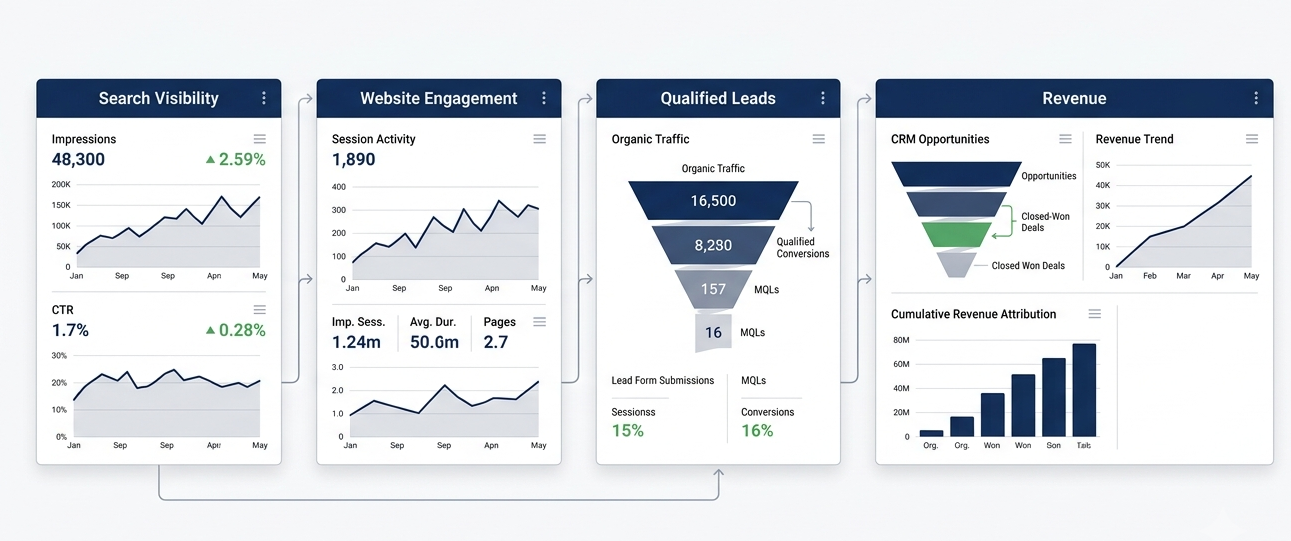
Connect Search Data With GA4 and CRM Data
Traffic alone does not show business impact.
Track:
- Engaged sessions
- Key events
- Lead submissions
- Qualified leads
- Sales opportunities
- Revenue
- Assisted conversions
- Returning-user behavior
- Branded-search trends
If your clicks drop but your remaining visitors are more qualified and convert better, your business impact may actually improve.
On the other hand, steady traffic does not guarantee success if your lead quality or revenue is declining.
Create an AI Overview Monitoring Dataset
For a representative group of priority queries, monitor each month:
Manually checking AI results gives you a rough idea rather than a precise answer. Your location, device, past activity, and search time can all affect the results you see. Use them together with Search Console, GA4, CRM, and revenue data.
Conclusion
A search result can become more visible without actually getting a visit. Your opportunity is to give readers a reason to look beyond the AI-generated answer—deeper insight, practical guidance, and expertise they can trust.
First, review Google Search Console pages with falling organic clicks. Identify which queries still get impressions, then improve those pages with clearer answers, original insights, and helpful next steps.
If your organic traffic is slipping, take the next step with 253 Media. A focused SEO and content audit can identify what needs improving and build a practical plan to improve visibility in AI-driven search.
The future belongs to content that gives people a reason to look beyond the answer.