Webflow SEO Checklist: Steps to Improve Rankings
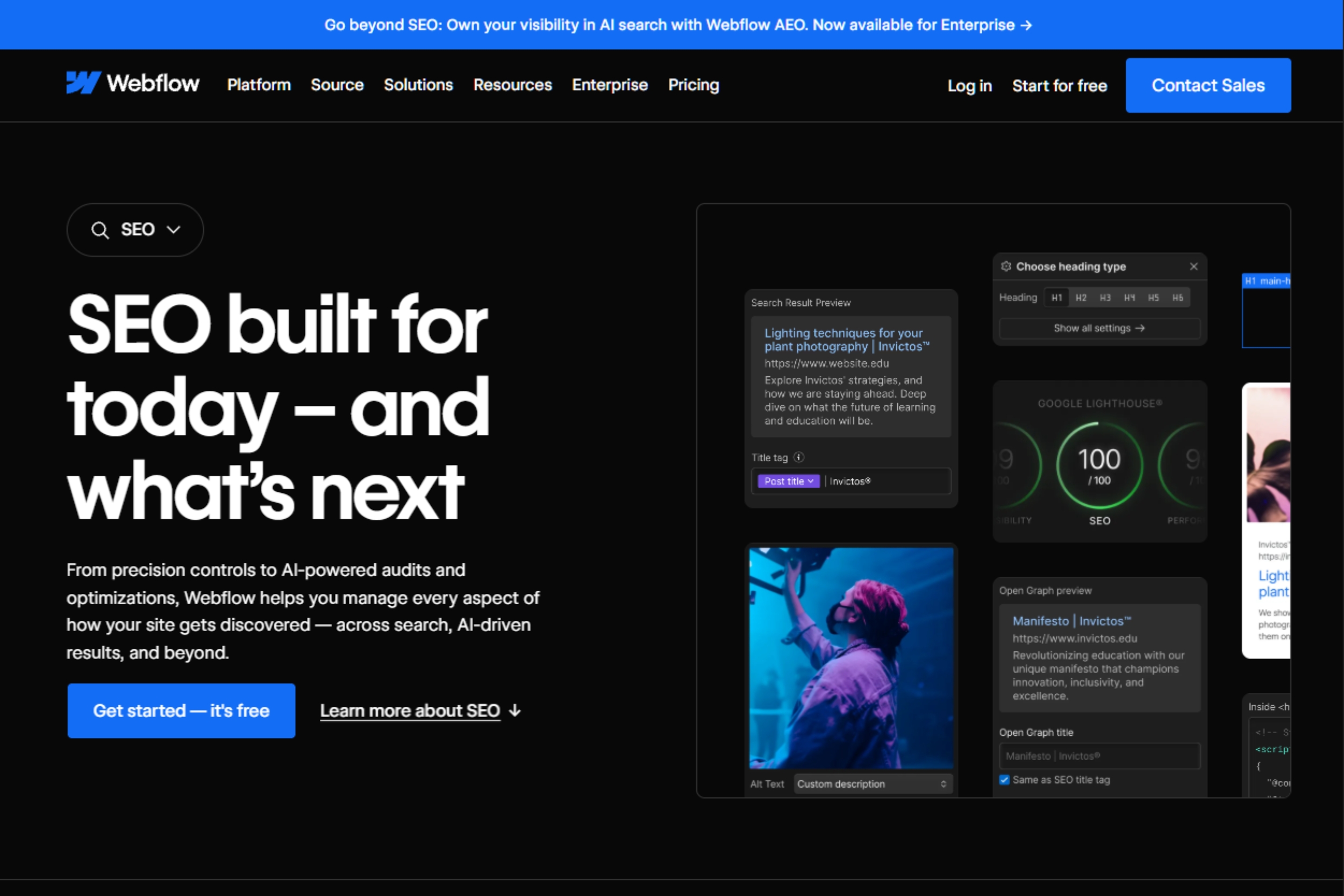
Webflow gives you many of the tools needed to build an SEO-friendly website, including customizable metadata, clean URL structures, XML sitemaps, redirects, canonical tags, responsive layouts, and CMS functionality.
Those features create a strong foundation, but they do not automatically improve search rankings. Your website still needs clear site architecture, useful content, strong internal linking, good page performance, and consistent technical maintenance.
This Webflow SEO checklist covers the essential tasks to complete before launch, after publishing, and during ongoing optimization.
Webflow SEO Checklist at a Glance
Technical SEO
- Enable SSL and HTTPS
- Configure your preferred domain
- Generate and submit an XML sitemap
- Connect Google Search Console
- Review robots.txt
- Check canonical tags
- Configure 301 redirects
- Review indexing settings
- Test crawlability
On-Page SEO
- Research search intent
- Optimize title tags and meta descriptions
- Use a clear heading structure
- Create descriptive URLs
- Add relevant internal links
- Optimize images and alt text
CMS SEO
- Configure dynamic metadata
- Use descriptive CMS slugs
- Review CMS indexing settings
- Prevent thin or duplicate pages
- Optimize collection and archive pages
Performance
- Monitor Core Web Vitals
- Optimize images
- Review third-party scripts
- Test mobile performance
- Remove unnecessary custom code and animations
Technical SEO Checklist
Technical SEO makes it easier for search engines to crawl, understand, and index your Webflow website.
1. Enable SSL and HTTPS
Make sure your website uses HTTPS across all pages. Webflow provides SSL hosting, but the live site should still be checked after publishing.
Checklist:
✓ SSL enabled
✓ HTTPS version loads correctly
✓ HTTP redirects to HTTPS
✓ No mixed-content warnings
✓ Internal links use HTTPS
2. Configure Your Preferred Domain
Choose one primary version of your website, such as:
https://example.com
or
https://www.example.com
Keep the preferred version consistent across redirects, canonical tags, and internal links.
Checklist:
✓ Preferred domain selected
✓ DNS configuration verified
✓ Redirects configured correctly
✓ Canonical URLs use the preferred domain
✓ Internal links are consistent
3. Generate and Submit Your XML Sitemap
Webflow can automatically generate an XML sitemap for your website.
Check your sitemap at:
yourdomain.com/sitemap.xml
Then submit it through Google Search Console.
Your sitemap should contain the important URLs you want search engines to discover. It should not replace internal linking or site architecture.
Checklist:
✓ Sitemap enabled
✓ Sitemap loads correctly
✓ Important pages included
✓ Unwanted URLs excluded
✓ Sitemap submitted to Google Search Console
4. Connect Google Search Console
Google Search Console provides useful information about organic search performance and technical health.
Use it to monitor:
- Search queries and impressions
- Clicks and rankings
- Indexing issues
- Core Web Vitals
- URL inspection
- Manual actions and security issues
Checklist:
✓ Property verified
✓ Sitemap submitted
✓ Performance reports reviewed
✓ Important URLs inspected
✓ Indexing issues monitored
If you’re troubleshooting indexing, metadata, or other technical issues in Webflow, see our guide to fixing Webflow indexing and technical SEO issues.
5. Review Robots.txt
Robots.txt controls which areas of your site crawlers can access.
Review the file carefully after launch and after major changes. An incorrect rule can prevent search engines from accessing pages you want indexed.
Check for:
- Important pages accidentally blocked
- CMS content being restricted
- Incorrect sitemap references
- Unnecessary crawl restrictions
Robots.txt should not be used to hide confidential information.
6. Check Canonical Tags
Canonical tags help search engines identify the preferred URL when similar or duplicate versions of a page exist.
Review canonicals on:
- Important landing pages
- CMS pages
- Duplicate or similar content
- Pages with URL variations
Checklist:
✓ Canonical strategy defined
✓ Important pages have appropriate canonicals
✓ Canonical URLs use the preferred domain
✓ Duplicate pages point to the correct version
Do not use canonical tags as a substitute for fixing poor site architecture or unnecessary duplicate pages.
7. Set Up 301 Redirects
Redirects are essential during website redesigns, migrations, and URL changes.
Create a redirect from every important old URL to its most relevant replacement.
Checklist:
✓ Old URLs mapped before launch
✓ 301 redirects configured
✓ Redirect chains avoided
✓ Redirect loops eliminated
✓ Internal links updated
✓ Redirects tested after publishing
Changing a URL without a redirect can result in lost traffic, broken backlinks, and a poor user experience.
8. Check Indexing and Crawlability
Important pages need to be accessible to search engines and eligible for indexing.
Review indexing settings on new pages, CMS content, landing pages, and pages created during redesigns.
Checklist:
✓ Important pages are indexable
✓ Unwanted pages are intentionally excluded
✓ No accidental noindex settings exist
✓ Important pages are internally linked
✓ Broken links and crawl errors are fixed
✓ No important pages are orphaned
On-Page SEO Checklist

Technical SEO gets search engines to your pages. On-page SEO helps them understand what each page offers.
9. Match Search Intent
Start with the reason someone is searching.
Look at the current search results and identify whether users are looking for:
- Information
- A product
- A service
- A comparison
- A specific resource
Your page should provide a better or more complete answer to that need.
10. Optimize Title Tags
Every important page should have a unique, descriptive title.
Include the primary topic naturally and make the title useful to someone scanning search results.
Example:
Webflow SEO Checklist: Steps to Improve Rankings
is more descriptive than:
SEO Tips
Avoid forcing keywords into titles or creating duplicate titles across multiple pages.
Checklist:
✓ Unique title
✓ Main topic is clear
✓ Search intent is reflected
✓ No unnecessary keyword repetition
For a broader overview of how title tags, meta descriptions, URLs, content, and other on-page elements work together, see our complete Webflow SEO guide.
11. Write Useful Meta Descriptions
Meta descriptions help communicate what a page is about in search results. Google may use the description you provide or generate a different snippet based on the search query.
Write a concise, accurate description that reflects the page and gives users a reason to click.
Checklist:
✓ Unique description
✓ Main topic included naturally
✓ Description matches page content
✓ No keyword stuffing
12. Use a Clear Heading Structure
Organize content with a logical heading hierarchy.
Use one clear H1, H2s for major sections, and H3s for supporting topics.
Headings should make the page easy to scan. They should not exist simply to add more keywords.
13. Optimize URLs
Use short, descriptive URLs that communicate the topic of the page.
Better:
/webflow-seo-checklist
Less useful:
/page-7284
Avoid unnecessary numbers, parameters, and complicated structures.
14. Strengthen Internal Linking
Internal links help users move through your website and help search engines understand the relationship between pages.
Look for relevant links between:
- Blog posts and service pages
- Guides and supporting resources
- Category pages and individual articles
- Product pages and educational content
Use natural, descriptive anchor text and link only where the destination adds value.
15. Optimize Images
Large images can affect page performance, while missing or poorly written alt text can create accessibility issues.
Checklist:
✓ Images appropriately sized
✓ Files compressed
✓ Relevant alt text added
✓ Decorative images handled appropriately
✓ Unnecessary images removed
Alt text should describe meaningful image content rather than act as a place to insert keywords.
Image optimization is only one part of website performance. For a broader look at how UX, page speed, and SEO work together on a Webflow site, see our guide to building a high-converting Webflow website.
Webflow CMS SEO Checklist
Webflow CMS makes it easy to publish blogs, case studies, resources, locations, products, and other dynamic content. That makes consistent SEO configuration especially important.
16. Configure Dynamic Metadata
Create SEO fields within your CMS so each collection item can have unique metadata.
Useful fields may include:
- SEO title
- Meta description
- Open Graph title
- Open Graph description
- Featured image
- Canonical URL, where required
Dynamic fields can create a consistent framework while still allowing editors to customize important pages.
17. Use Descriptive CMS URLs
CMS slugs should clearly describe the page.
Example:
/blog/webflow-seo-checklist
is preferable to:
/blog/post-1847
Keep URL structures consistent across collections and avoid changing established URLs without a redirect plan.
18. Review CMS Indexing
Not every CMS-generated page needs to appear in search results.
Look for:
- Thin pages
- Duplicate content
- Low-value archive pages
- Internal-only content
- Automatically generated pages with little unique information
Improve, consolidate, redirect, or exclude pages based on their actual value rather than simply indexing everything created in the CMS.
19. Prevent Thin Content
Large CMS collections can create hundreds of pages with very little unique information.
Add genuine value through:
- Original content
- Relevant FAQs
- Useful data
- Supporting resources
- Contextual internal links
Avoid creating pages simply to target slightly different keyword variations.
Structured Data and Performance
20. Add Relevant Structured Data
Structured data helps search engines understand the content and entities represented on a page.
Depending on the site, relevant types may include:
- Organization
- LocalBusiness
- Article
- Product
- Event
Use structured data only when it accurately reflects visible page content. Validate the markup after implementation and monitor Search Console for issues.
21. Monitor Core Web Vitals
Google’s Core Web Vitals focus on three areas of page experience:
- LCP: loading performance
- INP: interaction responsiveness
- CLS: visual stability
Common performance issues include oversized images, excessive JavaScript, third-party scripts, unstable layouts, and unnecessary animations.
Checklist:
✓ LCP reviewed
✓ INP reviewed
✓ CLS reviewed
✓ Images optimized
✓ Third-party scripts audited
✓ Mobile performance tested
✓ Unnecessary animations and code removed
Common Webflow SEO Mistakes
Publishing without optimized metadata
Default titles and descriptions can limit search visibility.
Fix: Add metadata review to your publishing workflow.
Changing URLs without redirects
A redesign can remove valuable URLs and backlinks.
Fix: Create a redirect map before launch.
Creating large numbers of similar CMS pages
Templates make publishing easy, but not every page provides enough value to deserve indexing.
Fix: Review CMS content regularly and consolidate or exclude low-value pages.
Ignoring internal linking
Even strong content can be difficult to discover when it is poorly connected to the rest of the site.
Fix: Add relevant internal links whenever new content is published.
Overloading pages with scripts and animations
Heavy interactions can hurt responsiveness and page experience.
Fix: Audit custom code and third-party scripts regularly.
Ongoing Webflow SEO Checklist
SEO needs regular maintenance after a site goes live.
Monthly
- Review Google Search Console
- Check organic traffic and conversions
- Identify pages losing visibility
- Fix broken links and redirects
- Review new pages for SEO issues
- Add relevant internal links
Quarterly
- Run a technical SEO audit
- Review Core Web Vitals
- Audit CMS content
- Check indexing
- Review site architecture
- Update outdated content
- Identify new content opportunities
A redesign, migration, major CMS change, or significant drop in organic traffic should trigger an additional SEO review outside the normal schedule.
If your team needs ongoing technical support, SEO monitoring, and Webflow updates, explore 253 Media’s Webflow website maintenance services.
Final Webflow SEO Checklist
Before launching or auditing a Webflow website, confirm that:
✓ HTTPS is enabled
✓ Preferred domain is configured
✓ XML sitemap is working
✓ Google Search Console is connected
✓ Robots.txt is reviewed
✓ Canonicals are correct
✓ Redirects are configured
✓ Important pages are indexable
✓ Titles and meta descriptions are optimized
✓ URLs are descriptive
✓ Internal links are in place
✓ Images are optimized
✓ CMS metadata is configured
✓ Thin content is addressed
✓ Relevant structured data is validated
✓ Core Web Vitals are monitored
✓ Mobile experience is tested
Need help implementing your Webflow SEO strategy?
Explore 253 Media’s Webflow SEO services for technical optimization, keyword research, on-page SEO, content strategy, and ongoing performance monitoring designed to support long-term organic growth.

