Is Webflow Good for SEO in 2026? What Mid-Sized and Complex Sites Need to Know Before Choosing It

A visually impressive, fast-loading website is a great start. However, your design won't drive business growth if search engines can't crawl, index, or rank your pages.
Is Webflow good for SEO in 2026? The answer goes beyond the built-in SEO features. If you run a mid-sized business or a complex site, you should consider scalability, technical control, site architecture, and how well your pages get indexed.
This guide explores where Webflow excels, where its limitations can create challenges, and what to evaluate before choosing it for a website built to grow.
Is Webflow Good for SEO?
Yes, Webflow can be very good for SEO, particularly for mid-sized marketing websites and content-led businesses.
Webflow provides native capabilities for important SEO tasks, including:
- Title tags and meta descriptions
- Custom URLs
- Canonical tags
- XML sitemaps
- Robots.txt management
- 301 redirects
- Alt text
- Semantic HTML
- SSL
- CMS-driven content
You’ll have full control over your marketing and SEO team to optimise your site without the need for plugins. However, real results still depend on how well your site is structured, the quality of your content, your technical setup, and ongoing optimisation.
What Webflow Gets Right for SEO
1. Clean, Semantic Site Structure
Webflow gives teams control over individual page structure, including headings, URLs, links, images, and other HTML elements.
Its visual development environment can also make it easier for designers, developers, and marketers to work from the same page structure.
A well-organized site structure helps both search engines and users understand how your pages connect, which is essential for SEO.
A strong Webflow architecture should include:
- Logical URL structures
- One clear primary heading per page
- Proper heading hierarchy
- Descriptive internal links
- Accessible images
- Consistent navigation
- Clear topic and content relationships
Webflow has strong SEO features, including semantic HTML, clean URLs, canonical tags, and image optimisation.

2. Native Metadata Controls
Webflow allows teams to have control over important on-page SEO elements.
You can control:
- SEO title tags
- Meta descriptions
- Open Graph settings
- Image alt text
- CMS-driven metadata
- Page-specific SEO settings
Content-driven sites can utilise CMS fields to ensure consistent metadata.
For example, in a blog CMS, you can have fields such as:
Post title → SEO title → Meta description → Social image → Author → Category
This approach reduces repetitive manual work and lets you optimize key pages with the custom settings they need.
Webflow also promotes automated metadata controls that can populate titles and descriptions from CMS fields.
3. XML Sitemaps and Indexing Controls
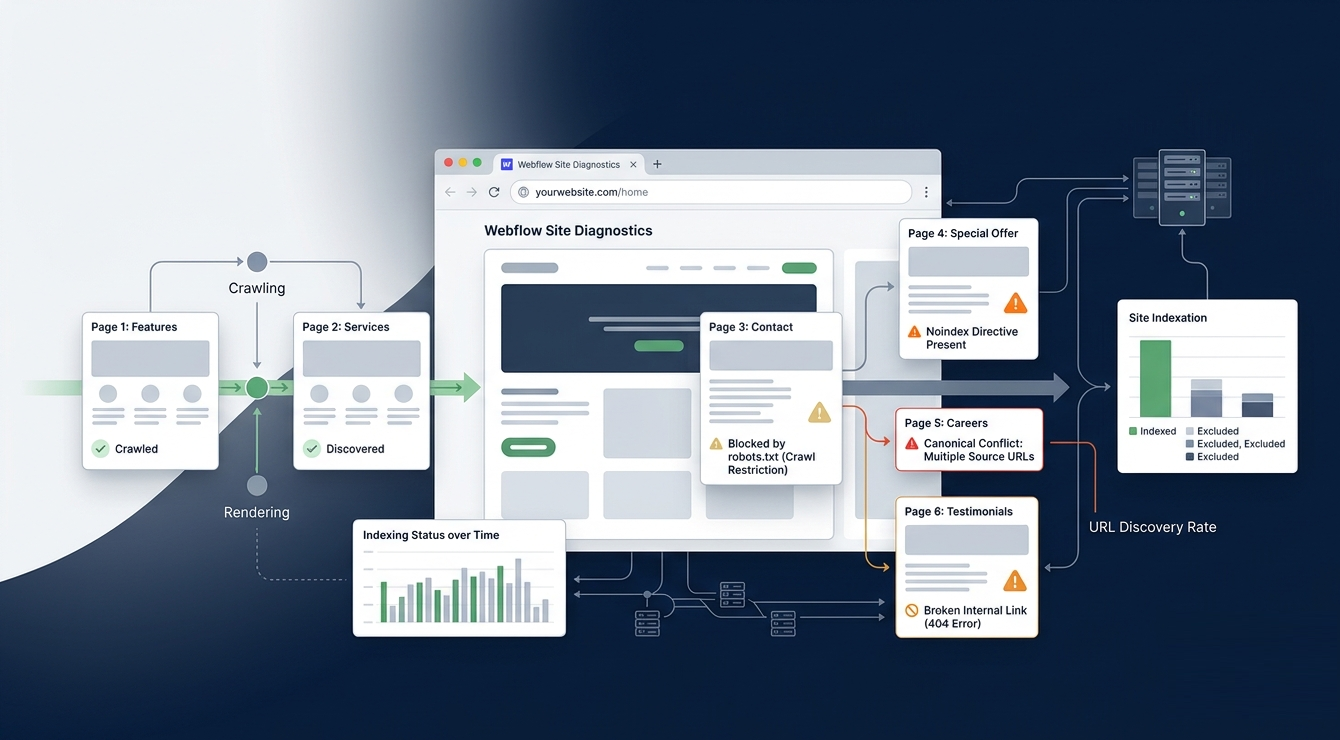
Webflow will automatically create sitemaps for you and you can control indexing. However, a sitemap simply makes it easier for search engines to find your URLs. This does not guarantee they will be indexed.
Indexing still depends on factors such as content quality, duplication, internal linking, crawlability, canonicalization, and search engine evaluation.
Before launching a Webflow website, SEO teams should check sitemap URLs, robots.txt, canonical tags, index/noindex settings, staging-domain indexing, internal links, and status codes.
4. Redirect Management
When you redesign a website or move to a new CMS, redirects become essential. Webflow has built-in 301 redirect management, so teams can map old URLs to their new ones.
But having the tool is just one step in a successful migration.
A successful migration should also include:
- Crawling the existing website
- Exporting valuable URLs
- Mapping old URLs to new URLs
- Creating redirect rules
- Updating internal links
- Testing redirects
- Monitoring 404 errors after launch
Webflow lists 301 redirect management as a native SEO capability.
5. Hosting, SSL, and Performance Foundations
Webflow offers hosting and HTTPS.
Webflow also has responsive images and other features to help speed up your site.
But using Webflow doesn’t automatically mean your Core Web Vitals will be strong.
A visually impressive Webflow site can still become slow because of:
- Large images
- Excessive animations
- Custom JavaScript
- Third-party scripts
- Heavy fonts
- Embedded tools
- Poorly optimized media
- Unnecessary page elements
Always check how your site is performing once it's live—don't assume the platform alone will deliver fast load times.
6. CMS Flexibility for Content Teams
Webflow's CMS can support teams creating structured content hubs.
Content models that support collections, reference fields, reusable templates and dynamic SEO fields include:
- Blogs
- Case studies
- Resources
- Locations
- Services
- Authors
- Industry pages
- Glossaries
- Comparison pages
This can be particularly useful for marketing teams that need to publish regularly without sending every content update to developers.
The key is to design your CMS with your SEO strategy in mind before you start scaling up content production.
Where Webflow SEO Needs More Planning
Webflow’s strengths become less straightforward when a website has complex technical or organizational requirements.
Structured Data May Require Technical Implementation
Structured data can help search engines understand the content and entities on a page.
Depending on the website, you may need:
- Organization schema
- Article schema
- Breadcrumb schema
- Product schema
- SoftwareApplication schema
- FAQ schema where appropriate
- Dynamic JSON-LD
Large CMS and Relational Content Models
A website with hundreds or thousands of interconnected content records requires more planning than a standard marketing site.
Challenges that could come up include:
- Large numbers of CMS items
- Complex reference relationships
- Location databases
- Product databases
- Glossaries
- Comparison pages
- Dynamic filtering
- Faceted navigation
- Template governance
- Duplicate content
- Collection and plan constraints
For example, when you're building 5,000 location pages, you're facing more than just a content production challenge.
You also need to control:
URL structure → page quality → internal linking → canonicalization → indexation → duplication → maintenance
The more interconnected your content model is, the more important it is to evaluate the platform thoroughly before you start development.

Advanced Server-Level Controls Are More Limited
If you need advanced SEO features like custom caching, response headers, edge logic, specialized rendering, CDN tweaks, server-side redirects, or log-file analysis, make sure the platform can handle these reliably and at scale. Don’t just check whether it’s possible—make sure it’s practical to maintain long term.
International SEO Requires Governance
Webflow can handle multilingual and regional sites, but international SEO takes more than just translating your pages.
A global SEO system may require:
- Hreflang
- Localized metadata
- Regional URLs
- Translation workflows
- Market-specific content
- Currency handling
- Regional internal linking
- Duplicate-content controls
Integrations May Require Custom Development
Today's marketing websites often connect with systems such as CRMs, marketing automation, product databases, ERP platforms, search tools, personalization and consent-management solutions, and analytics and experimentation systems.
Is Webflow Good for Mid-Sized Websites?
For many mid-sized marketing websites, Webflow can be a strong fit.
Typical examples include:
- B2B companies
- SaaS businesses
- Agencies
- Professional services firms
- Higher-education marketing sites
- Content-led businesses
- Brand websites
- Campaign websites
It can also work well for organizations managing dozens to several hundred strategic pages.
These businesses often benefit from:
- Built-in SEO controls
- Visual design flexibility
- Faster publishing
- CMS templates
- Reduced plugin dependency
- Collaboration between marketing, design, and development teams
The real benefit is likely faster operations.
When marketers can manage pages, metadata, content, and routine SEO updates without waiting for developers, the organization can move faster.
Is Webflow Good for Complex and Enterprise Websites?
The answer depends heavily on what “enterprise” means for your organization.
Webflow may work well for a large marketing website. A complex application with thousands of dynamic relationships and specialized server requirements is a different problem.
Requirement
Webflow fit
What to evaluate
Large marketing site
Strong
Architecture, CMS governance, templates
Structured content hub
Strong to moderate
Collections, taxonomy, relationships
International SEO
Moderate to strong
Localization, hreflang, translation
High-volume ecommerce
Depends
Catalog, filters, inventory, checkout
Complex web application
Limited as sole platform
Hybrid architecture and application logic
Customized server behavior
Limited
Headers, caching, CDN, redirects
Large editorial operation
Depends
Approvals, roles, QA, versioning
Programmatic SEO
Moderate
CMS model, automation, indexation
CMS migration
Strong with planning
URL mapping, redirects, content QA
Multi-brand organization
Moderate to strong
Governance, domains, templates
Webflow vs WordPress for SEO
When it comes to SEO, there's no clear overall winner between Webflow and WordPress. Each takes a different approach to running a website.
Webflow suits organizations that prioritize a controlled, design-led marketing workflow. WordPress is the better choice for extensive customization, plugins, hosting control, or complex publishing. No platform guarantees better rankings.
Dimension
Webflow
WordPress
Core SEO controls
Built in and centralized
Often managed through plugins and themes
Plugin ecosystem
Smaller and more controlled
Extensive
Design control
Strong visual workflow
Depends on theme and builder
Server-level control
More limited
Greater flexibility
Editorial workflows
Suitable for many marketing teams
Highly extensible
Structured data
Native/custom options
Plugin and custom-development options
Hosting maintenance
Managed hosting model
More responsibility for hosting and updates
Complex ecosystems
Requires careful architecture
Highly flexible but requires governance
Webflow vs Shopify for SEO
The comparison changes when ecommerce becomes the primary requirement.
Webflow works well for brand storytelling, content marketing, flexible landing pages, and marketing experiences.
Shopify is purpose-built around ecommerce operations, including products, inventory, checkout, and transactional workflows.
For some businesses, a hybrid architecture can make sense—for example, Webflow for the marketing experience and Shopify for commerce.
But hybrid setups introduce their own SEO and analytics considerations, including:
- Duplicate URLs
- Canonical inconsistencies
- Cross-domain measurement
- Fragmented content ownership
- Internal-linking gaps
Before development starts, make sure the architecture is settled—not once both systems are already live.
How to Evaluate Webflow Before Choosing It
Before approving a Webflow build or migration, evaluate the website you actually need—not the website you have today.

1. Audit Your Site Architecture
Document:
- Current page count
- CMS collections
- Expected annual content growth
- Product and location pages
- Languages and regions
- URL patterns
- Internal-linking requirements
- Search filters
- Faceted navigation
This helps to uncover possible scalability issues early on.
2. Map Required Integrations
List every system the website needs to communicate with:
- CRM
- Email platform
- Analytics
- Consent management
- Forms
- Ecommerce
- Product databases
- Marketing automation
- Reporting
- Search and personalization
Consider compatibility and how much maintenance they'll require.
3. Identify Technical SEO Requirements
Ask your development and SEO teams:
- Do we need custom response headers?
- Do we need advanced server-side redirects?
- Do we need dynamic schema across thousands of pages?
- Can we manage canonical tags reliably?
- Can we manage hreflang at scale?
- Do we need log-file analysis?
- Can the CMS support projected growth?
- Do we require advanced editorial approvals?
If several answers point toward complex server-side infrastructure, evaluate a hybrid or alternative architecture before development begins.
4. Test the Actual Content Workflow
Don’t evaluate the CMS only through a sales demo.
Build a realistic prototype and test:
- Creating a CMS collection.
- Adding SEO fields.
- Creating metadata.
- Publishing content.
- Managing redirects.
- Add structured data.
- Update internal links
- Review staging
- Publishing to production
- Documenting the process
Your team should know whether the workflow remains practical after the site grows.
Final Verdict: Should You Choose Webflow for SEO?
Webflow can be an excellent SEO platform when its architecture matches your website’s requirements.
The key is to evaluate complexity before committing to the platform.
Webflow gives you many of the controls needed for effective SEO. But rankings still depend on the fundamentals: useful content, strong architecture, technical quality, internal linking, authority, and continuous optimization.
If your website is relatively straightforward, Webflow can simplify SEO management.
If your website is highly complex, the right question is whether Webflow can support the entire system without creating technical or operational bottlenecks.
Planning a Webflow Build or Migration?
A website should help you grow, not create technical hurdles you'll have to work around later. The decisions you make about CMS structure, URL architecture, and technical SEO before development can affect how well your site performs long after launch.
If you’re planning a Webflow redesign or migration, 253 Media can help you evaluate your SEO architecture, CMS requirements, integrations, and growth goals before development begins. Build a site that supports your business today and gives it room to grow tomorrow.
Planning a Webflow project? Talk to 253 Media before you start development.
FAQs
Is Webflow SEO-friendly?
Yes! Webflow has strong core SEO features, including metadata, indexing, redirects, sitemaps, robots.txt, semantic HTML, and SSL. However, your SEO will still depend on your implementation, content, architecture, and continual optimisation.
Is Webflow better than WordPress for SEO?
Not necessarily. Webflow offers a controlled, visual workflow. However, WordPress has a large plugin ecosystem and is more extendable. It depends on your technical and publishing requirements.
Does Webflow support schema markup?
Yes. You can implement schema through available Webflow controls and custom code. More complex dynamic schema may require developer support and ongoing validation.
Is Webflow good for large content websites?
Yes; however, consider your CMS capabilities, collection relationships, URLs, internal links, content management, and indexing requirements.