
Magento to Shopify Migration: Why Brands Are Making the Switch in 2026
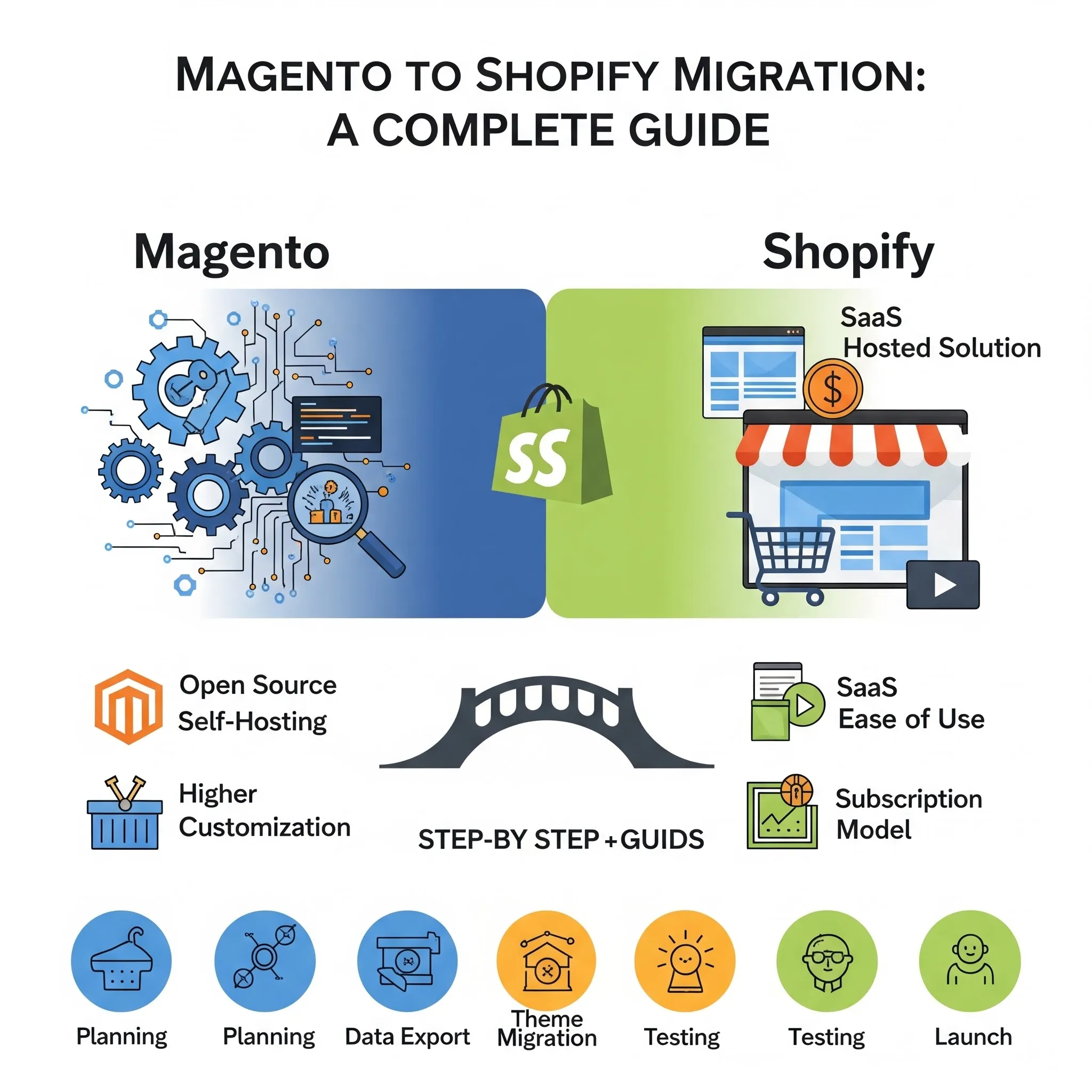
Magento (Adobe Commerce) has long been the go-to for scalable e-commerce. But in 2026, the focus has changed.
Brands now ask, “Is Magento slowing us down?” instead of “Can Magento handle this?”
As e-commerce prioritizes agility, speed, and lower operational overhead, many businesses have migrated to Shopify and Shopify Plus.
Reported results include 29–38% lower total cost of ownership, faster load times with up to 5% higher conversion rates, and reduced time spent on server maintenance.
So, let’s walk you through the real reasons behind the Magento to Shopify migration, a clear comparison, proven migration steps, and realistic 2026 costs.
We'll also share our deep platform expertise and tailored strategies to help you avoid costly mistakes and protect your revenue and SEO.
The complete guide to Magento to Shopify migration
Why Platform Migration Needs a Strategic Approach
A Magento to Shopify migration is not just a platform switch; it’s a full ecosystem shift. It affects your storefront, backend operations, marketing stack, SEO equity, and customer experience.
When rushed or poorly planned, migrations often lead to:
- Revenue loss from broken checkout flows
- SEO traffic drops due to incorrect redirects
- Missing or corrupted customer/order data
- Integration failures across ERP, CRM, or marketing tools
- Extended downtime during peak periods
Even mid-sized ecommerce brands can lose 5–20% of monthly revenue during a poorly executed migration window.
The difference between a smooth transition and a costly one comes down to process, planning, and execution discipline.
5 Reasons to Make Magento to Shopify Migration
- Exploding Infrastructure and Maintenance Costs
Magento stores, especially self-hosted Open Source or Adobe Commerce setups, demand ongoing investment in servers, CDNs, security patches, and hosting.
Annual maintenance can easily reach $30,000–$150,000+ for mid-to-large stores when you factor in DevOps resources and emergency fixes.
Shopify handles all of this behind the scenes with fully managed global infrastructure and automatic updates.
Over three years, many enterprises see their platform-related costs drop significantly, sometimes by 2–3x, once they eliminate these hidden burdens.
- Developer Dependency Slowing Growth
Simple changes on Magento often require custom code and developer hours that can stretch into weeks.
A Magento developer might cost $80–$200 per hour, and routine tasks eat into budgets that could support marketing or product innovation.
Shopify’s intuitive admin, vast app ecosystem (over 8,000–15,000 apps), and low-code tools let non-technical teams handle merchandising, promotions, and basic updates in days instead of weeks.
- Performance and Scalability Limits During Peaks
A one-second delay in page load can cost up to 7% in conversions. Magento performance depends heavily on your hosting setup, caching, and optimization efforts.
During flash sales or holiday spikes, many stores struggle without the expense of additional infrastructure. Shopify’s optimized CDN and automatic scaling reliably handle millions of requests.
Brands migrating often see homepage load times drop from 2.8 seconds to under 1 second, with zero downtime even during 200% traffic surges.
- SaaS Shift for Faster Innovation and Agility
The broader industry trend favors SaaS platforms that deliver automatic updates, built-in security, and rapid feature deployment.
Magento requires manual upgrades and compatibility checks, which can delay the introduction of new capabilities.
On Shopify, you get automatic platform improvements, seamless app integrations, and tools like Shopify Flow for automation, freeing your team to test ideas quickly and respond to market changes.
- Built-in Tools Replacing Custom Code
Magento’s strength in deep customization often leads to heavy reliance on custom extensions that need constant maintenance.
Shopify replaces much of this with native features and vetted apps for reviews, loyalty, subscriptions, B2B, and marketing.
For high-volume brands, Shopify Plus adds Launchpad for event automation, Checkout Extensibility, and higher API limits that reduce the need for brittle custom code.
Magento vs Shopify: Platform Comparison
Feature
Magento (Adobe Commerce)
Shopify / Shopify Plus
Hosting
Self-hosted or managed (your responsibility)
Fully hosted and optimized by Shopify
Maintenance
High – requires a DevOps team and patches
Minimal – automatic updates and security
Security & Compliance
Merchant-managed PCI DSS patches
Built-in PCI Level 1, automatic SSL, GDPR-ready
Performance & Speed
Depends on hosting and optimization
Global CDN, consistent fast loads
Ease of Use
Technical expertise required
User-friendly admin with low-code options
Customization
Unlimited code-level access
High via apps, APIs, and Checkout Extensibility
Cost Model
High upfront + variable ongoing costs
Predictable monthly subscription
Scalability
Strong with heavy investment
Automatic scaling, proven for millions of visits
B2B Tools
Custom or extensions
Native suite on Plus (company profiles, net terms)
Bottom Line: Magento offers deeper control at the expense of ongoing effort and cost. Shopify trades some of that control for speed, reliability, and lower total ownership costs.
6 Benefits of Magento to Shopify Migration
- Lower Total Cost of Ownership
Shopify consistently delivers a lower total cost of ownership compared to Magento.
Independent analyses show savings of 29–38% once hosting, maintenance, and developer retainers are factored in. For mid‑market brands, this can mean annual savings of $50,000–$200,000.
The difference comes from reduced infrastructure expenses, no servers, CDNs, or load balancers to manage, fewer outsourced development hours owing to Shopify’s no‑code tools, and predictable subscription pricing.
- Faster Performance & Higher Conversions
Speed is one of the most immediate wins of the Magento to Shopify migration. Shopify’s global CDN and optimized hosting stack deliver 30–60% faster load times than Magento’s heavier architecture.
Faster sites improve user experience, reduce bounce rates, and boost SEO rankings since Google’s Core Web Vitals reward speed.
Many brands report immediate uplifts in conversions, with one apparel retailer seeing a 30% increase in sales and a 35% drop in bounce rates after moving to Shopify.
- Enterprise-Grade Security & Compliance
Security is a critical concern for enterprise ecommerce, and Shopify removes much of the burden.
The platform maintains PCI DSS Level 1 certification, applies automatic security updates across its ecosystem, and provides fraud detection tools out of the box.
It eliminates the risks associated with missed patches or outdated server configurations common in self‑hosted Magento environments, while also reducing liability for internal IT teams.
- Quicker Time to Market
Agility is a competitive advantage, and Shopify enables faster launches, promotions, and seasonal campaigns.
On Magento, rolling out new features or campaigns often requires weeks of developer involvement.
Shopify empowers merchandising and marketing teams to make changes independently, allowing new products, promotions, or content to go live in days.
This speed ensures brands can react quickly to market trends and customer demands without bottlenecks.
- Native B2B & Multi-Store Power (Plus)
Magento to Shopify Migration offers B2B and multi-store power
Shopify Plus provides wholesale and international capabilities that Magento often required heavy customization to achieve.
Built‑in wholesale tools like company profiles, custom price lists, and self‑serve portals simplify B2B operations.
Plus also supports up to nine expansion stores for localized international operations, making global scaling far more efficient and cost‑effective.
- Marketing & Automation Tools Built-In
Shopify reduces reliance on expensive third‑party extensions by offering marketing and automation features natively.
Abandoned cart recovery, integrated analytics, and workflow automation through Shopify Flow come standard or integrate seamlessly.
It allows brands to optimize customer journeys, streamline operations, and drive growth without complex development or costly external tools.
What Data Can (and Can’t) Be Migrated to Shopify
A successful migration starts with understanding what transfers cleanly and what needs rethinking.
Can Be Migrated:
- Products, variants, SKUs, images
- Customers (excluding passwords)
- Order history
- Categories/collections
- Basic SEO metadata
Requires Transformation or Rebuilding:
- Custom product attributes
- Magento-specific extensions
- Complex pricing rules
- Custom checkout logic
Important Limitation:
Customer passwords cannot be migrated due to encryption differences. Customers will need to reset passwords post-migration.
Magento to Shopify Migration Process: Step-by-Step
- Pre-Migration Assessment
Every successful migration starts with complete visibility.
At this stage, we audit and document your entire Magento ecosystem, not just what’s visible, but what’s operationally critical.
This includes a deep evaluation of:
- Custom features and business logic
- Third-party integrations (ERP, CRM, PIM, payment gateways)
- Business-critical workflows (fulfillment, returns, pricing rules)
- Current performance benchmarks (load speed, conversion rate)
- Existing pain points (cost, downtime, inefficiencies)
Most migration failures happen here, not because of execution, but because something critical was never documented.
- Data Architecture Planning
Magento’s data structure is highly flexible, but Shopify follows a more standardized architecture. That means data cannot simply be “moved,” it must be restructured intelligently.
We define how data will translate across:
- Product catalog structure (simple vs configurable → variants)
- Customer data mapping and segmentation
- Order history preservation and formatting
- Custom attributes (mapped to metafields where needed)
- Inventory logic and SKU consistency
Poor data planning leads to catalog errors, broken filters, and reporting inconsistencies post-launch. This step prevents that.
- Feature Mapping
Magento extensions do not have direct equivalents in Shopify. Every feature must be evaluated and rebuilt strategically.
We create a detailed feature roadmap covering:
- Core functionality replacement (native Shopify vs apps vs custom)
- Integration rebuilding (ERP, shipping, tax, payments)
- Custom feature redevelopment (if no direct equivalent exists)
- App selection based on scalability, cost, and performance
This is where we avoid “app bloat” and ensure the new stack is lean, stable, and future-ready.
- Design Implementation
Migration is not just replication; it’s an opportunity to improve.
Instead of copying your Magento design as-is, we:
- Analyze current UX performance (bounce rate, drop-offs)
- Select or build a Shopify theme aligned with brand identity
- Optimize for mobile-first experiences (critical for 70%+ traffic in many stores)
- Improve navigation, product discovery, and checkout flow
- Enhance performance through lightweight design systems
Most brands see immediate gains in engagement and conversion rates after the redesign.
- SEO Protection
Protecting SEO during the Magento to Shopify Migration
SEO is where migrations either succeed quietly or fail visibly.
We implement a structured SEO preservation plan:
- Complete URL mapping from Magento to Shopify
- 301 redirects for every indexed page
- Metadata preservation (titles, descriptions, alt tags)
- Content structure consistency (H1s, internal linking)
- Migration of analytics and tracking systems
Without this, brands risk losing 20–40% of organic traffic within weeks. With it, rankings are typically preserved and often improved.
- Data Migration
We follow a staged, validation-first approach instead of a one-time bulk transfer.
The process includes:
- Test migrations using sample datasets
- Data validation (products, customers, orders)
- Full-scale migration execution
- Post-migration verification and reconciliation
- Gap analysis and issue resolution
This ensures data integrity at scale, especially for stores with large catalogs or high order volumes.
- Pre-Launch Testing
Before going live, every critical workflow is stress-tested.
We validate:
- End-to-end order processing
- Payment gateway functionality
- Inventory synchronization across systems
- Customer journeys (browse → cart → checkout)
- Mobile and cross-device responsiveness
Skipping this step is one of the fastest ways to lose revenue on launch day.
- Launch and Optimization
Launch is not the finish line; it’s the beginning of performance optimization.
Immediately post-launch, we focus on:
- Real-time performance monitoring (speed, uptime)
- Conversion tracking and funnel analysis
- Speed optimization (Core Web Vitals improvements)
- UX refinements based on user behavior
- Rapid issue identification and resolution
Brands that actively optimize post-launch typically recover migration costs 2–3x faster than those that don’t.
Small stores can complete this in 4–8 weeks. Mid-size with integrations typically takes 2–4 weeks. Complex enterprise projects with Shopify Plus often span 4–8 weeks or more, depending on data volume and custom work.
Magento to Shopify Migration Costs & ROI in 2026
Migration costs vary widely based on catalog size, custom features, integrations, and design needs. Realistic 2026 ranges include:
- Small/simple stores (<5,000 products, minimal custom work): $10,000–$15,000
- Mid-size (5,000–50,000 products, several integrations): $20,000–$75,000
- Enterprise/Shopify Plus (large catalogs, B2B, complex logic): $50,000–$200,000+
These figures cover planning, data transfer, theme work, integrations, SEO redirects, testing, and launch support.
The ROI picture is often compelling. Many brands recover their investment within 6–18 months through lower ongoing TCO, higher conversions (often 5–35% lifts), reduced bounce rates, and faster feature deployment.
5 Common Challenges & How to Fix Them
- Data Loss or Corruption
Prevent this with multiple test migrations, strict validation of record counts, and sampling. Clean “dirty data” in Magento before transfer.
- Broken Custom Functionality
Map every feature early and replace it with native Shopify tools or best-in-class apps rather than recreating exact custom code. It often improves the experience.
- Traffic Dips During Transition
Mitigate with strong 301 redirects, pre-launch SEO work, and launching during quieter periods. Monitor rankings daily in the first weeks.
- Team Training Curve
Shopify’s admin is intuitive, but dedicate time for your team to explore the new dashboard and apps. Most users adapt quickly.
- Security Gaps Post-Migration
Leverage Shopify’s built-in tools from day one. Avoid installing too many unvetted apps and keep everything updated.
When to Migrate (And When to Stay on Magento)
Migrate if you answer “yes” to several of these:
- Server or maintenance costs exceed $5,000/month
- Simple changes take longer than a week or two
- Site speed or Core Web Vitals scores are consistently poor
- Your team spends more time on technical upkeep than on sales and marketing
- You need better scalability for traffic spikes or international growth without hiring more developers
Stay on Magento if you have a large in-house dev team that thrives on deep code-level control, extremely complex multi-warehouse or B2B logic that Shopify cannot easily replicate.
Moreover, staying is wise if your current setup is already highly optimized with predictable low maintenance costs.
Post-Migration Optimization for Fast ROI
- Quick Wins in First 30 Days
Optimize theme performance, test key checkout flows, set up Shopify Flow automations, and run A/B tests on new features.
- Scaling with Shopify Flow & Apps
Automate repetitive tasks and layer on powerful apps for loyalty, reviews, and marketing to drive repeat purchases.
- Measuring Success Metrics
Track load times, conversion rate, bounce rate, organic traffic, average order value, and operational time savings. Most brands see measurable improvements within the first quarter.
Frequently Asked Questions (FAQs)
- How long does the Magento to Shopify migration take?
Smaller catalogs with limited customizations can be migrated in as little as 6–8 weeks, while enterprise‑level stores with extensive integrations and workflows may take 3–6 months.
A thorough audit and phased approach help ensure accuracy without extending downtime.
- Can I migrate without losing data?
Yes, with the right process. Products, customers, orders, and CMS pages can be migrated reliably if staged migrations and validation checks are performed.
The key is to clean your Magento data beforehand and run test transfers to confirm accuracy before the final cutover.
- Will I lose SEO rankings?
Not if SEO preservation is prioritized. A precise redirect strategy, metadata mapping, and monitoring through Google Search Console ensure that your existing rankings carry over.
When handled correctly, most brands maintain or even improve their SEO performance after migration.
- What happens to customer passwords after migration?
Customer passwords cannot be directly transferred due to encryption differences between Magento and Shopify.
Instead, customers are prompted to reset their passwords after launch. This process is secure and ensures compliance while maintaining customer trust.
- How do I handle international stores during migration?
Shopify Plus supports multi‑store setups, allowing brands to run localized storefronts for different regions. During migration, expansion stores can be configured to preserve regional catalogs, currencies, and languages.
Conclusion
A Magento to Shopify migration is not just a technical upgrade; it’s a strategic move toward a faster, more scalable, and cost-efficient ecommerce future.
The brands that succeed aren’t the ones that migrate fastest. They’re the ones who migrate methodically, with the right partner, and a clear roadmap.
Ready to explore your migration options? Get a free migration assessment with us at 253Media and discover how Shopify or Shopify Plus can unlock faster growth, lower costs, and better performance for your brand.