How to Recover Organic Traffic After Google AI Overviews and the 2026 Core Update
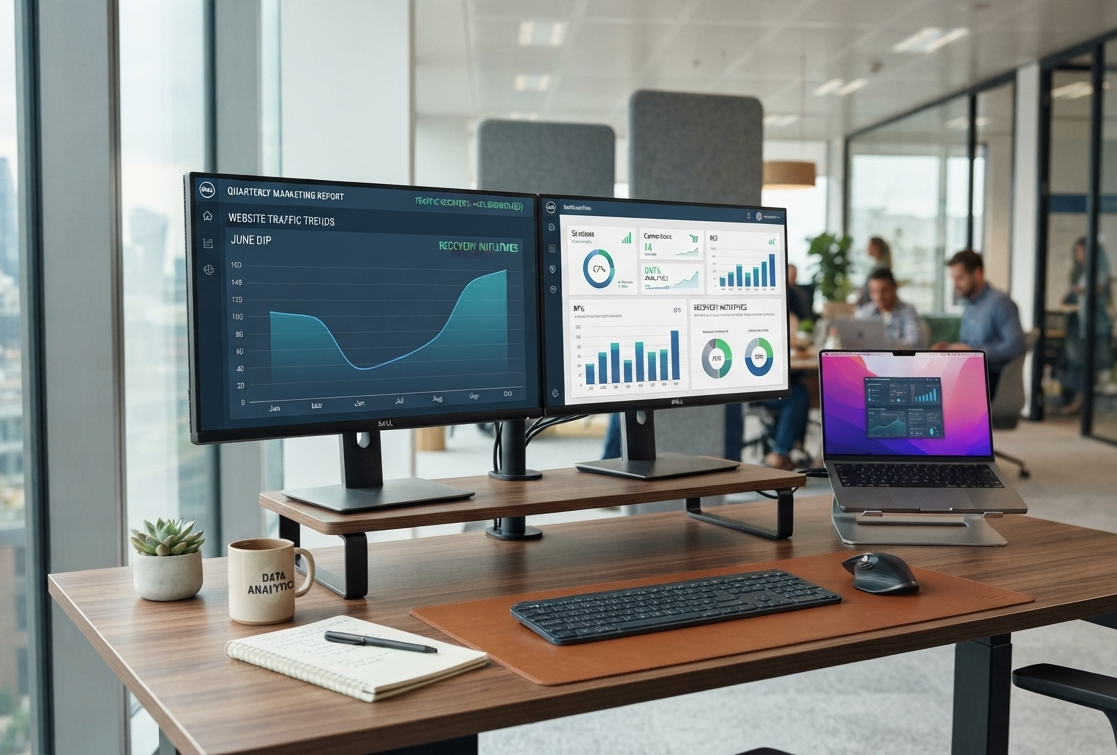
When you notice a large decline in organic traffic (20% to 50% drop), consider pausing before making major changes. Start by identifying exactly what shifted. Even if your rankings seem to stay the same, AI Overviews can help you save on clicks. If Google does not perceive the page as relevant, useful, or user-friendly, core updates can cause a drop in rankings. If both occur, you will lose both visibility and conversions from the same pages.
Recovery is not about creating more content. Get to the bottom of the true reasons for your traffic drop and prioritize the pages that will have the highest chance of regaining traffic and leads and/or revenue. Make it easier for Google and your customers to act on, trust, and understand.
This six-step guide will help you figure out what changed, rebuild your most important pages, fix technical SEO problems, track your AI visibility, and start a focused 90-day plan to recover your traffic and conversions.
1. Why Your Traffic Dropped: AI Overviews, Core Update, or Both?
AI Overview loss usually looks like this:
- Impressions do not decrease, but clicks drop dramatically.
- Your important queries still rank in positions 1–5.
- AI Overviews appear for those queries.
- Your page may be cited, but fewer users click through.
- Your branded searches may rise later as users discover your company without visiting immediately.
Google says AI Overviews and AI Mode use links to supporting websites and rely on core Search systems to retrieve relevant pages. Google also provides a dedicated generative AI performance view in Search Console for some sites, making AI visibility easier to analyze.
Typical Core Update loss appears like this:
- Rankings fall across several query groups.
- Multiple high-value pages lose positions.
- Reduction in traffic for informational, commercial, or transactional queries.
- Competitors do not perform well on pages that lack originality, are superficially written, do not have trustworthy signals, or do not demonstrate expertise.
Compound loss means both signals appear together: rankings fall, and CTR falls on the same pages, particularly where AI Overviews now occupy prominent SERP real estate.
Quick diagnostic flowchart
Impressions stable + rankings stable + CTR down? → Investigate AI Overview exposure.
Rankings down 5+ positions across important pages? → Investigate Core Update impact.
Rankings down + CTR down + AI Overview present? → Treat it as a compound loss.
Traffic down but rankings and impressions look normal? → Check seasonality, tracking, demand changes, and conversion data before touching content.
It’s important to get this step right. If you make a mistake now, you could lose weeks and slow down your growth or revenue recovery.
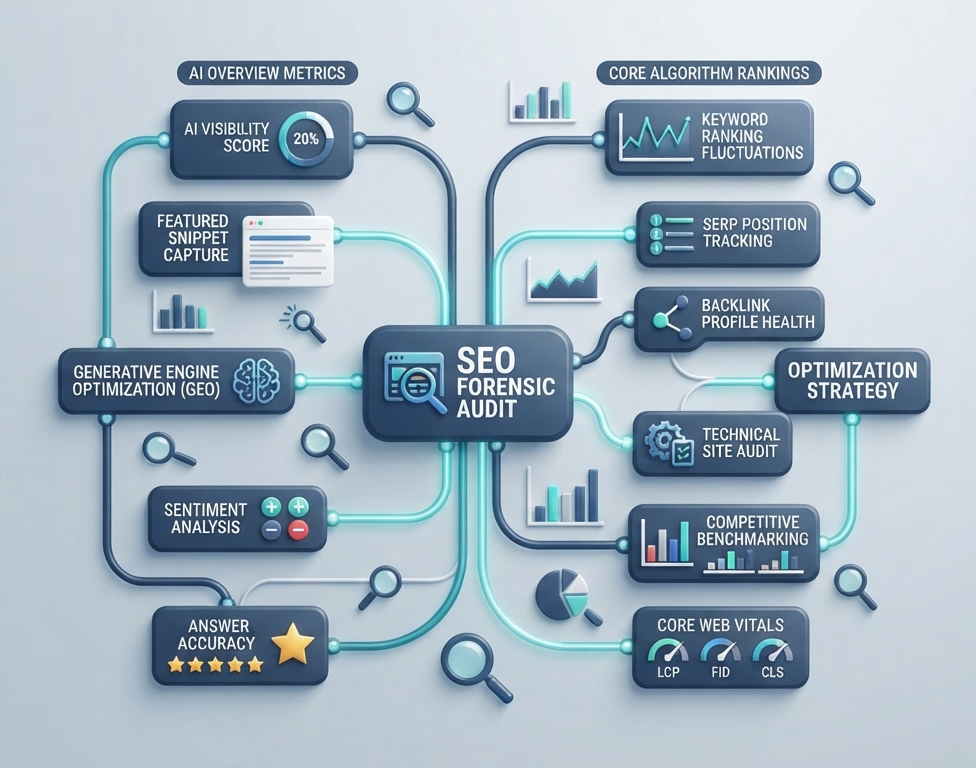
Step 1: Run a Forensic Audit
Create a baseline for the 28 days pre-decline, the update week, and the post-update week.
In Google Search Console, export clicks, impressions, CTR, position, queries, pages, devices, countries, and search appearance to compare specific winners and losers across the site.
Get a breakdown of your GA4 conversions, revenue, engaged sessions, and assisted conversions by organic landing page. Focus on pages that still bring in good leads or sales, even if their traffic has dropped. These pages require more attention than those receiving a majority of low-value visits.
If you have access, review your server logs. Watch for crawl issues, blocked resources, response errors, redirect chains, and any important pages that search bots are missing.
Finally, check the SERPs for your most valuable queries. Note if an AI Overview appears, which sources are cited, your ranking, your competitors, and any changes in search intent or SERP features.
Google’s latest advice is clear: to show up in AI search, your site needs to be easy to crawl and index, have useful content, strong internal links, a good page experience, and accurate structured data.
Step 2: Categorize the Loss
Not every lost click is equal. Break down each key URL and query to pinpoint exactly where and why you lost ground.
1. Zero-click, cited
Your page provides an AI overview without the user having to visit your page. The opportunity is to improve the citation and make the eventual click more valuable.
2. Zero-click, not cited
The AI Overview answers the query using your competitors. You need to improve your completeness, original evidence, clarity and entity relevance.
3. Ranking loss
Your page's ranking has dropped significantly. Start the problem as if it is a Core Update recovery issue.
4. Delayed branded search
User sees your brand in an AI answer, remembers it, and searches later. Monitor branded impressions, branded clicks, direct traffic, new user behavior, and conversions.
This is when tracking your Share of Model really helps.
What is Share of Model and how do you track it?
Share of Model is a practical visibility metric for how often your brand or content is surfaced across tracked AI-generated answers and relevant prompts. It is not a Google ranking factor or an official Google metric.
Set up a fixed list of prompts. Check them every week. Track whether your brand shows up if your URLs are cited, and which competitors are. Where your citations appear. Calculate your share compared to all mentions. Keep your list the same so you can see real changes over time.
Step 3: Choose the Right Page-Level Recovery Play
Don’t rewrite every page that lost traffic. Decide what action each page needs based on its potential.

Rewrite
Use when the page has strong backlinks, historical rankings, relevant intent, and useful information, but competitors have better answers in the meantime.
Rewrite around the searcher’s job. Lead with the answer, add original examples or data, remove filler, update outdated claims, improve headings, and make expertise visible.
Consolidate
Use this when many pages compete for the intent. Select the URL, merge the best parts from weaker pages, update internal links, and redirect extra URLs when you can.
Redirect
Redirect when an old page has no reason to stay live but has authority that can go to a new spot. Do not redirect URLs just to move authority around.
Deprecate
Remove old, duplicate, or useless pages when keeping them causes more trouble than they're worth. Write down why you did this so the content team does not have to rebuild the page later.
A basic recovery worksheet should cover the following: URL, lost clicks, lost conversions, ranking changes, AI overview status, user intent, backlinks, content quality, action needed, owner, and target date.
Step 4: Rebuild for AI Citations
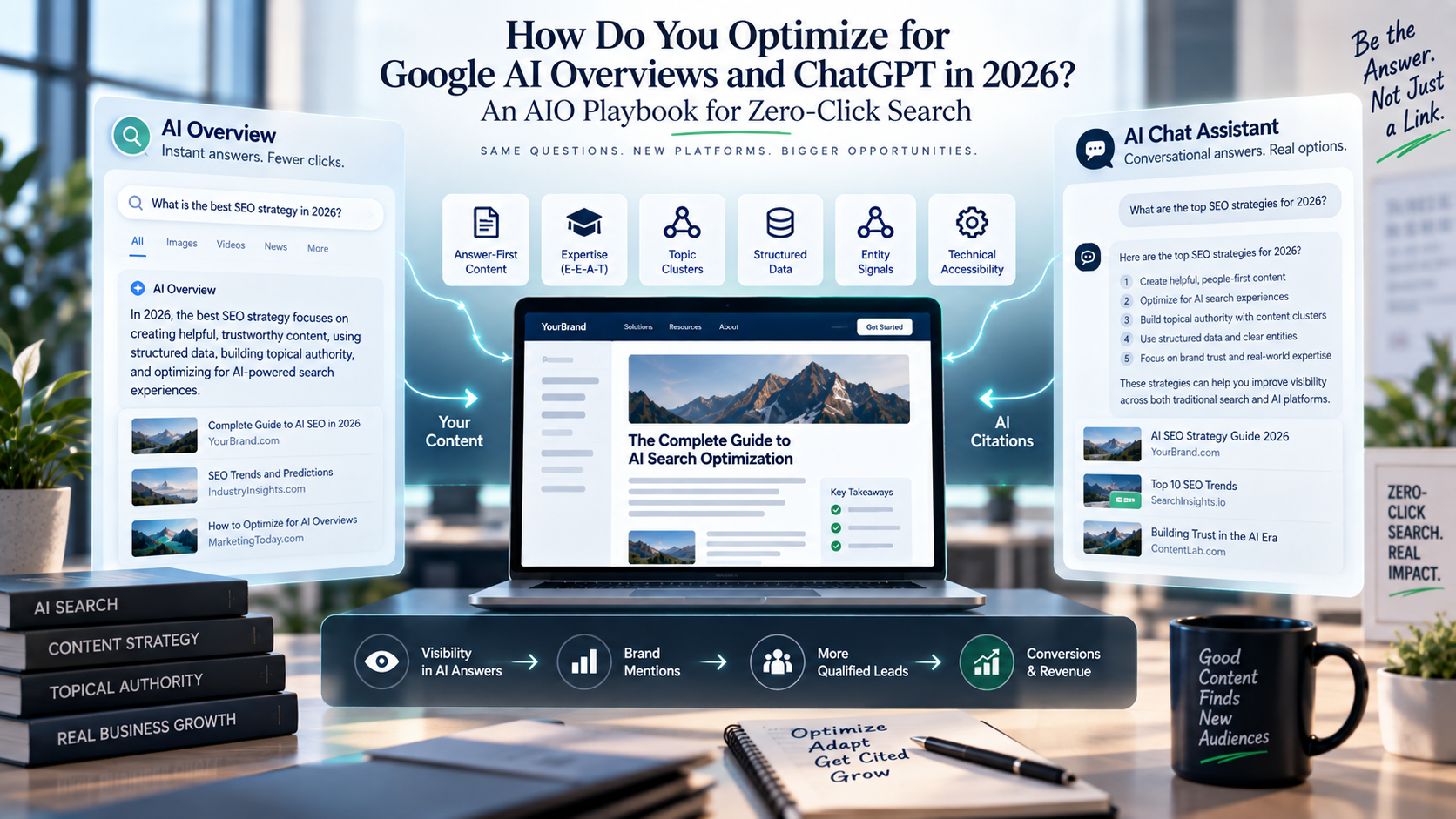
There's no special "AI Overview schema" that you need to worry about. Google clearly states that there are no unique technical requirements or special schema types needed to appear in AI features. The basics are still important.
Make sure your most important pages are easy for Google to understand and for users to trust.

Start with answer blocks.
Give direct answers near the top, then expand with evidence, examples, caveats, and deeper explanation. Use descriptive headings and concise paragraphs.
Strengthen entity signals.
Clearly explain who your company is, what it does, who it helps, and why your experts are good. Connect ideas naturally through links and the same words.
Demonstrate experience and expertise.
Include primary data, expert insights, visuals, examples, methodology, and verified author details when applicable.
Improve structured data.
Use a supported schema that accurately describes visible content. Do not add markup simply because it sounds AI-friendly.
Focus on creating information that’s worth citing and encourages action.
Generic summaries get replaced. Original benchmarks, data, frameworks, expert comparisons, and specific examples give both AI and real users a reason to reference your page, helping turn visitors into leads or customers.
253 Media’s AIO optimization playbook can provide the broader framework; this recovery process applies it specifically to pages that have already lost traffic.
Step 5: Fix Technical SEO
Updating your content won’t help if Google can’t crawl, display, index, or understand your pages.
First, review these areas:
- Crawlability: robots.txt, CDN rules, authentication, blocked resources, and unexpected status codes.
- Indexation: noindex tags, canonical errors, duplicate URLs, soft 404s, and incorrect redirects.
- Internal links: make sure your priority recovery pages are reachable from high-authority pages.
- Core Web Vitals: address serious loading, interaction, and layout problems that degrade page experience.
- JavaScript: Ensure that all key content and links are accessible to Google.
- Mobile usability: verify templates work cleanly across devices.
- Structured data: validate that markup is consistent with the content on the page.
- Site architecture: reduce unnecessary depth and make topic relationships obvious.
Google says indexed pages can be used for AI features, so crawlability and basic SEO remain very important.
For a deeper implementation guide, see 253 Media’s Technical SEO for Core Update recovery.
Step 6: Diversify Beyond Google
Recovery is not about going back to relying solely on Google, which caused the drop in the first place.
Turn your organic content into many different assets. Make YouTube videos from your guides, turn research into LinkedIn posts, build email lists around topics, and use paid search for money-making keywords.
When it comes to B2B Saas, link your SEO content with your webinars, demos, newsletters, and product education. Use email, social proof, creator content, and remarketing in addition to search for DTC brands. For services, turn expert articles into case studies, webinars, and sales tools.
The goal is not to give up on SEO. Make sure that all your high-value ideas are effective on multiple channels and continue to grow even if Google changes again.
2. The 90-Day Recovery Timeline
Use the first month to diagnose, the second to rebuild, and the third to validate and scale.

Weeks 1–2: Diagnose
- Establish pre-drop benchmarks.
- Segment traffic by URL, query, intent, device, and conversion value.
- Identify AI Overview exposure.
- Check technical issues.
- Build the recovery priority list.
Weeks 3–4: Prioritize
- Choose the most successful 10-20 recovery URLs.
- Assign rewrite, consolidate, redirect, or deprecate.
- Capture baseline rankings, CTR, conversions, and AI citations.
- Fix urgent crawl and indexation problems.
Weeks 5–8: Rebuild
- Rewrite priority pages.
- Add original evidence and expert signals.
- Strengthen internal linking.
- Improve page experience.
- Only publish supporting content if it actually fills a gap in your topics.
Weeks 9–10: Expand visibility
- Track AI citations and Share of Model.
- Repurpose winning content into video, email, and social assets.
- Monitor branded search and assisted conversions.
Weeks 11–12: Validate
- Compare rankings, CTR, impressions, conversions, and revenue with the baseline.
- Identify pages showing recovery.
- Take the successful patterns to the next level.
- Remove or consolidate work that produced no meaningful improvement.
The following are key metrics to monitor on your weekly KPI dashboard: Organic clicks, Organic impressions, CTR, Average position, Conversions, Revenue or pipeline, Branded search growth, AI citation rate, and Share of Model. This keeps your team on target with the metrics that truly drive growth and revenue.
How long does it take to recover from a Google Core Update?
There is no time for recovery. Google needs time to crawl and recheck your pages, so real changes can take weeks or longer. Do not expect things to fix themselves instantly. Instead, look for growth in your rankings, visibility, and especially your sales and revenue.
Can you recover traffic lost to AI Overviews?
Recovery does not always mean getting back the exact same number of clicks. If an AI overview answers a question directly, you should focus on earning citations that address specific needs, grow your brand, and attract higher-quality visitors who actually click.
3. When to Call a Recovery Specialist
Ask for help if the drop is hurting your revenue, if you cannot find the cause after a thorough check, if you have dozens of pages to sort through, or if your team cannot tell whether the loss is from an algorithm or just a technical error.
Before signing, ask:
- How do you plan to differentiate between the impact of AI Overview and the impact of Core Update?
- Will you be examining page-level and query-level data?
- How will you measure AI citations and branded search lift?
- What are the technical checks that are included?
- What will you do first and why?
- Which KPIs define recovery?
- How will you report failed tests as well as wins?
One more rule: protect what’s already working. Don’t make big template changes while you’re still figuring things out. Pause unnecessary experiments, write down every major SEO change, and compare results regularly. Recovery is much easier when you can connect each edit to a clear result instead of guessing what caused a change.
At 253 Media, our goal isn’t to chase Google’s algorithm. It’s to build a search presence that stays valuable, no matter how Google changes the interface.
Start by looking at your data. Figure out if you lost clicks because of CTR or rankings. Rebuild the pages most likely to recover. Improve your technical SEO. Track AI visibility along with your usual SEO metrics. Spend the next 90 days testing, measuring, and focusing on what works.
If you want to get started faster, use our Free Traffic Recovery Diagnostic Template to organize your GSC, GA4, page-level, AI citation, and technical findings in one place. Then book a 30-minute Recovery Audit Call for an expert second opinion.
The biggest mistake after a traffic drop is to panic. Instead, take time to diagnose, set priorities, and recover with discipline and focus.