Webflow SEO vs WordPress: Which Fits Your Growth Goals?
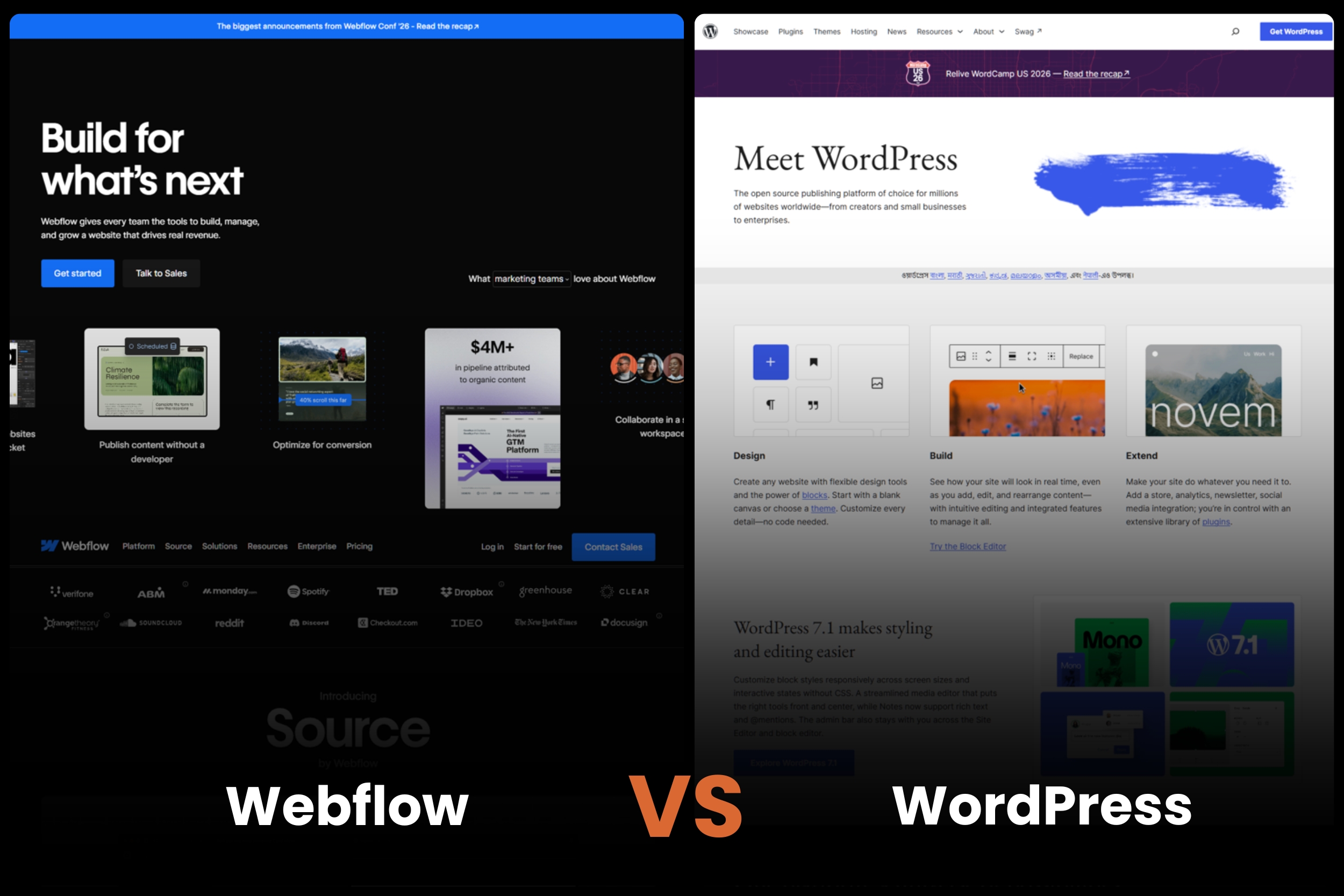
Choosing a content management system (CMS) is one of the most important decisions you’ll make for your website’s long-term search visibility. While design flexibility, pricing, and ease of use often dominate the conversation, SEO considerations can have a much bigger impact on your ability to generate traffic and revenue over time.
This is why the debate around Webflow SEO vs WordPress continues to grow. Both platforms support strong SEO performance, and both power websites that rank at the top of Google. However, they approach SEO very differently.
Webflow emphasizes built-in functionality, visual editing, and reduced maintenance. WordPress offers extensive flexibility, a massive ecosystem of plugins, and nearly unlimited customization. Neither platform is universally better. The right choice depends on your content strategy, team structure, technical resources, and growth goals.
In this guide, we’ll compare Webflow vs WordPress SEO from a practical perspective. Instead of focusing on feature checklists, we’ll examine how SEO is actually implemented, managed, and scaled on each platform.
Webflow vs WordPress SEO at a Glance
Before diving deeper, here’s a high-level comparison of the two platforms from an SEO perspective.
At a glance, Webflow tends to appeal to organizations seeking simplicity and speed, while WordPress often attracts businesses that need advanced customization and content scalability.
Market Share and Ecosystem Overview

Before evaluating SEO features, it helps to understand the broader ecosystems surrounding both platforms.
WordPress: The Dominant CMS
WordPress powers a significant portion of the web and remains the most widely used CMS globally. Its popularity creates several advantages:
- Massive developer community
- Extensive documentation
- Large talent pool
- Thousands of integrations
- Established SEO ecosystem
For organizations investing heavily in content marketing, this maturity can be valuable. Finding developers, SEO specialists, and agencies with WordPress experience is relatively easy.
The WordPress ecosystem also includes specialized SEO tools such as:
- Yoast SEO
- Rank Math
- All in One SEO
- Schema Pro
- Redirection
These tools allow businesses to implement advanced SEO strategies without extensive custom development.
Webflow: A Fast-Growing Alternative
Webflow has experienced rapid growth among startups, SaaS companies, agencies, and marketing-led organizations.
Its appeal comes from combining:
- Visual website design
- Built-in hosting
- Native SEO controls
- Reduced technical maintenance
Rather than relying on a large plugin ecosystem, Webflow focuses on providing essential functionality directly within the platform.
For many marketing teams, this reduces complexity and makes website management more accessible without requiring constant developer involvement.
Why Ecosystem Size Matters for SEO
Platform ecosystems affect SEO in ways many businesses overlook.
A larger ecosystem can provide:
- More integrations
- Greater customization
- Specialized SEO tools
- Easier hiring
At the same time, larger ecosystems can introduce:
- Plugin conflicts
- Security risks
- Technical debt
- Increased maintenance requirements
This tradeoff appears throughout the Webflow versus WordPress discussion.
Why CMS Choice Matters for SEO
Google doesn’t rank websites based on whether they’re built with Webflow or WordPress.
However, your CMS directly affects how efficiently your team can execute SEO initiatives.
Several critical SEO factors are influenced by platform choice.
Crawlability and Indexation
Search engines need to discover, crawl, and understand your content.
A CMS influences:
- URL structure
- Internal linking
- Sitemap generation
- Redirect management
- Canonical implementation
When these elements are difficult to manage, SEO execution becomes slower and more error-prone.
Site Performance
Page speed and user experience affect both rankings and conversions.
Your CMS impacts:
- Code quality
- Asset optimization
- Hosting architecture
- Performance management
Even small differences in performance can affect user engagement and search visibility over time.
Publishing Efficiency
SEO success increasingly depends on content velocity.
Teams need the ability to:
- Publish new content quickly
- Update existing pages
- Launch landing pages
- Optimize metadata
A platform that creates publishing bottlenecks can slow growth.
Long-Term Maintenance
Many businesses evaluate platforms based on launch requirements.
Fewer evaluate the operational burden that follows.
Questions worth considering include:
- How much maintenance is required?
- How frequently are updates needed?
- How often are developers involved?
- How difficult is troubleshooting?
The answers can significantly impact the total cost of SEO ownership.
Technical SEO Features Compared
Technical SEO capabilities form the foundation of organic search performance.
Fortunately, both Webflow and WordPress provide access to the core elements required for ranking success.
The differences lie in implementation, flexibility, and maintenance requirements.
Meta Titles and Descriptions
Meta titles and descriptions remain essential for helping search engines understand page topics and encouraging clicks from search results.
Webflow
Webflow allows users to:
- Edit title tags
- Customize meta descriptions
- Use dynamic fields for CMS collections
- Create templates for content types
These capabilities are available natively without requiring additional software.
WordPress
WordPress can handle metadata effectively, but most websites rely on plugins such as:
- Yoast SEO
- Rank Math
- All in One SEO
These tools provide advanced controls and additional optimization recommendations.
For organizations seeking maximum flexibility, WordPress generally offers more options.
For simplicity, Webflow often provides a cleaner experience.
XML Sitemaps
XML sitemaps help search engines discover content more efficiently.
Webflow
Webflow automatically generates XML sitemaps and updates them as content changes.
This reduces administrative overhead and minimizes configuration errors.
WordPress
WordPress also supports automatic sitemap generation through:
- Core functionality
- SEO plugins
- Dedicated sitemap plugins
The flexibility is powerful but introduces additional configuration decisions.
Robots.txt Management
The robots.txt file controls crawler access to website content.
Webflow
Webflow provides direct access to robots.txt settings through the platform dashboard.
Most businesses can configure crawler directives without requiring technical assistance.
WordPress
WordPress typically manages robots.txt through plugins, server configurations, or custom edits.
While highly flexible, implementation can become more complex depending on the hosting environment.
Canonical Tags
Canonical tags help prevent duplicate content issues.
Webflow
Webflow automatically supports canonical URLs and allows customization when needed.
This simplifies duplicate content management for most websites.
WordPress
WordPress offers canonical support through SEO plugins.
Advanced configurations are possible, but implementation quality often depends on plugin setup.
Redirect Management
Redirects are essential for preserving rankings during:
- Website migrations
- URL changes
- Content consolidation
- Site restructuring
Webflow
Redirect management is built directly into the platform.
Marketing teams can create redirects without accessing servers or installing plugins.
WordPress
WordPress often requires:
- Redirect plugins
- Server-level configurations
- Hosting-specific tools
The flexibility is greater, but the workflow can be more technical.
Schema Markup
Structured data helps search engines better understand website content.
Webflow
Webflow supports schema implementation through:
- Custom code
- Embedded JSON-LD
- CMS dynamic fields
This provides flexibility but may require more manual effort.
WordPress
WordPress benefits from an extensive schema ecosystem.
Plugins can automatically generate structured data for:
- Articles
- Products
- FAQs
- Reviews
- Organizations
- Events
For websites heavily dependent on structured data, WordPress often provides a more scalable approach.
Advanced SEO Customization
This is where WordPress gains a significant advantage.
Webflow
Webflow supports most SEO requirements businesses need, including:
- Custom meta tags
- Schema markup
- Canonical controls
- Redirects
- Open Graph settings
For many websites, these capabilities are sufficient.
WordPress
WordPress offers virtually unlimited customization possibilities.
Organizations can modify:
- Templates
- Database structures
- URL architectures
- Taxonomies
- SEO workflows
- Content relationships
For advanced SEO programs, especially those operating at enterprise scale, this flexibility can become a major advantage.
How SEO Is Actually Managed on Each Platform

Technical SEO features are important, but they only tell part of the story. In practice, SEO success depends on how efficiently your team can execute ongoing optimization efforts.
A platform might support redirects, schema markup, and metadata customization, but if implementing those changes requires developer involvement every time, growth can slow considerably.
This is where the operational differences between Webflow and WordPress become more apparent.
Publishing Content
Content publishing is one of the most frequent SEO activities.
Webflow
Webflow’s visual CMS makes publishing relatively straightforward. Marketing teams can:
- Create new blog posts
- Edit landing pages
- Update content layouts
- Publish changes directly
Because content editing happens within a visual interface, teams often experience fewer bottlenecks when launching campaigns or updating pages.
For organizations with lean marketing teams, this autonomy can be a major advantage.
WordPress
WordPress has long been the standard for content publishing.
Its strengths include:
- Mature blogging functionality
- Flexible content types
- Advanced editorial workflows
- Extensive publishing tools
For content-heavy organizations, WordPress often provides a more sophisticated publishing environment.
Updating Metadata
SEO teams frequently adjust:
- Page titles
- Meta descriptions
- Social sharing settings
- Canonical tags
Webflow
Metadata can be managed directly within page settings or CMS templates.
Updates are relatively straightforward, especially for smaller websites.
WordPress
SEO plugins provide centralized management of metadata across large websites.
For businesses managing hundreds or thousands of pages, these tools can significantly streamline optimization efforts.
Managing Redirects
Redirects are often overlooked until a redesign or migration occurs.
Webflow
Redirects are configured within the platform interface.
This allows marketing teams to manage common redirect scenarios without developer assistance.
WordPress
Redirect workflows vary depending on:
- Hosting provider
- Plugin stack
- Server configuration
While extremely flexible, the process may involve more technical coordination.
Implementing Schema
Schema implementation is increasingly important for earning rich results and helping search engines understand content.
Webflow
Most schema implementations require:
- Custom code
- JSON-LD insertion
- CMS-based dynamic fields
This approach works well but may require technical knowledge.
WordPress
SEO plugins can automate schema deployment across large sections of a site.
This reduces manual effort and improves consistency at scale.
Running Technical Audits
SEO audits are necessary for identifying:
- Broken links
- Indexation issues
- Duplicate content
- Structured data errors
The good news is that both platforms work well with major SEO tools such as:
- Google Search Console
- Screaming Frog
- Ahrefs
- Semrush
The difference is usually in how quickly issues can be resolved.
Resolving SEO Issues
For most marketing teams, issue resolution is where platform choice becomes most noticeable.
Webflow
Many SEO updates can be handled directly by marketers.
This often results in:
- Faster implementation
- Reduced developer dependency
- Quicker campaign launches
WordPress
WordPress provides greater flexibility but may require developer support more frequently, especially when:
- Custom themes are involved
- Multiple plugins interact
- Technical modifications are required
Neither approach is inherently better. The best choice depends on your team’s technical resources and workflow preferences.
Core Web Vitals and Site Performance
Performance has become an increasingly important component of SEO.
While great content remains the primary ranking factor, page experience can influence both rankings and user behavior.
This makes Core Web Vitals an important consideration when comparing Webflow and WordPress.
Why Webflow Often Performs Well Out of the Box
Webflow websites benefit from several built-in performance advantages.
These include:
- Managed hosting infrastructure
- Clean code output
- Automatic asset optimization
- Global content delivery networks (CDNs)
- Reduced plugin dependency
Because Webflow controls much of the technology stack, performance tends to be more consistent across websites.
For businesses without dedicated developers, this can simplify optimization efforts considerably.
Why WordPress Performance Varies
WordPress performance depends heavily on implementation.
Factors influencing speed include:
- Hosting quality
- Theme selection
- Plugin usage
- Caching configuration
- Image optimization
A well-built WordPress website can achieve excellent Core Web Vitals scores.
However, poorly optimized websites often struggle due to:
- Excessive plugins
- Bloated themes
- Poor hosting environments
This variation explains why WordPress performance discussions can be so polarized.
Hosting, Themes, and Plugin Impact
One of the biggest misconceptions in the Webflow SEO vs WordPress debate is that performance differences are solely platform-related.
In reality:
- Hosting matters.
- Theme quality matters.
- Plugin choices matter.
- Development practices matter.
An optimized WordPress site on premium hosting may outperform many Webflow websites.
Likewise, a poorly structured Webflow project can still suffer performance issues.
The platform provides a foundation, but implementation remains critical.
Current Industry Performance Benchmarks
Industry studies often show Webflow achieving stronger performance metrics out of the box.
However, optimized WordPress websites can close much of that gap.
For decision-makers, the key takeaway is not that one platform automatically wins.
Instead:
- Webflow SEO generally requires less effort to achieve strong performance.
- WordPress often requires more active optimization but offers greater flexibility.
This distinction becomes particularly important for organizations with limited technical resources.
Plugin Dependency vs Native SEO Functionality
One of the clearest differences between the platforms is how functionality is delivered.
WordPress Plugin Ecosystem
WordPress’s greatest strength is its ecosystem.
Businesses can extend functionality through plugins covering:
- SEO
- Schema markup
- Caching
- Security
- Analytics
- Internal linking
- Redirect management
This flexibility allows organizations to create highly customized SEO environments.
Need advanced schema automation?
There’s likely a plugin.
Need custom content relationships?
There are multiple solutions.
Need multilingual SEO support?
Several mature options exist.
This ecosystem is one reason WordPress remains popular among SEO professionals.
Webflow’s Built-In SEO Tools
Webflow takes a different approach.
Instead of relying heavily on third-party extensions, many SEO capabilities are built into the platform.
Examples include:
- Metadata controls
- Sitemap generation
- Redirect management
- Open Graph settings
- Canonical tags
For many businesses, having fewer moving parts simplifies website management.
This approach can also reduce the risk of compatibility issues.
SEO Risks of Plugin Overload
While plugins are powerful, they can introduce challenges.
Common risks include:
- Slower site performance
- Security vulnerabilities
- Update conflicts
- Maintenance complexity
Many SEO issues on WordPress websites stem not from WordPress itself but from poorly managed plugin stacks.
Organizations considering WordPress should factor ongoing plugin management into their long-term SEO planning.
Content Operations and SEO Scalability

Publishing content consistently is one of the strongest predictors of long-term organic growth.
As websites scale, content operations become increasingly important.
This is an area where the differences between Webflow and WordPress become more pronounced.
Blogging and Publishing Workflows
Webflow
Webflow offers an intuitive publishing experience that works well for:
- Small businesses
- Startups
- Agencies
- Marketing-led organizations
Content creators can often move from draft to publication without extensive technical support.
WordPress
WordPress remains one of the strongest publishing platforms available.
Its content management capabilities have been refined over many years and support:
- Complex editorial processes
- Multiple content types
- Large publishing teams
For organizations publishing at scale, this maturity is valuable.
Editorial Governance
As content operations grow, governance becomes increasingly important.
Questions arise such as:
- Who can publish?
- Who can edit?
- Who approves content?
Webflow
Webflow supports collaborative workflows but generally provides simpler governance structures.
For smaller teams, this is often sufficient.
WordPress
WordPress offers more advanced role management and editorial flexibility.
Large organizations frequently benefit from:
- Contributor roles
- Editor permissions
- Approval workflows
- Publishing controls
This becomes particularly useful for enterprise content operations.
Multi-Author Collaboration
Webflow
Webflow works well for small to medium-sized teams where collaboration remains relatively straightforward.
WordPress
WordPress typically offers greater flexibility for large editorial teams managing:
- Multiple authors
- Multiple departments
- High publishing volume
As organizational complexity increases, WordPress often becomes easier to scale operationally.
Taxonomies and Content Organization
Content organization directly impacts SEO.
Well-structured taxonomies improve:
- Internal linking
- Topic authority
- Crawlability
- User navigation
Webflow
Webflow’s CMS is powerful but generally simpler.
Most business websites will find it more than adequate.
WordPress
WordPress excels when managing:
- Large content libraries
- Complex categories
- Custom taxonomies
- Content relationships
For publishers and content-heavy SaaS companies, this flexibility can be extremely valuable.
Scaling Content Libraries
The needs of a website with 50 pages differ significantly from those of a website with 5,000 pages.
Webflow
Webflow scales well for most business websites, particularly those focused on:
- Lead generation
- Service pages
- SaaS marketing
- Agency portfolios
WordPress
WordPress has long been the preferred platform for:
- Publishers
- News websites
- Content-heavy SaaS companies
- Large knowledge bases
Its architecture is designed to support extensive content operations over time.
Security, Maintenance, and Long-Term SEO Health
Many businesses underestimate how security and maintenance affect SEO.
While security itself is not a direct ranking factor, website stability plays a critical role in long-term search performance.
Security Considerations
Webflow
Webflow’s managed infrastructure means:
- Hosting is included
- Security updates are handled automatically
- Server management is largely removed from the equation
This reduces operational risk for many businesses.
WordPress
WordPress offers flexibility but requires more proactive management.
Website owners must typically monitor:
- Plugin updates
- Theme updates
- Security patches
- Hosting environments
With proper maintenance, WordPress can be highly secure. However, neglect can create vulnerabilities.
Updates and Maintenance Requirements
Webflow minimizes maintenance responsibilities because the platform manages much of the underlying infrastructure.
WordPress requires more active oversight.
This isn’t necessarily a disadvantage—it simply shifts responsibility to the website owner.
Organizations with internal technical teams may not view this as a problem.
Smaller businesses often do.
Technical Debt
Over time, websites accumulate complexity.
Common sources include:
- Outdated plugins
- Legacy themes
- Custom code
- Deprecated integrations
Technical debt can slow SEO implementation and increase maintenance costs.
Because Webflow controls much of its environment, technical debt tends to accumulate more slowly.
WordPress’s flexibility can create greater long-term complexity if not managed carefully.
Impact on SEO Stability
Ultimately, SEO performance depends on consistency.
The fewer disruptions a website experiences, the easier it becomes to maintain rankings.
Both platforms can support excellent SEO outcomes.
The difference lies in how much ongoing effort is required to keep everything running smoothly.